Author: Banex Digital

  • How Much Does a Business Website Cost in India?

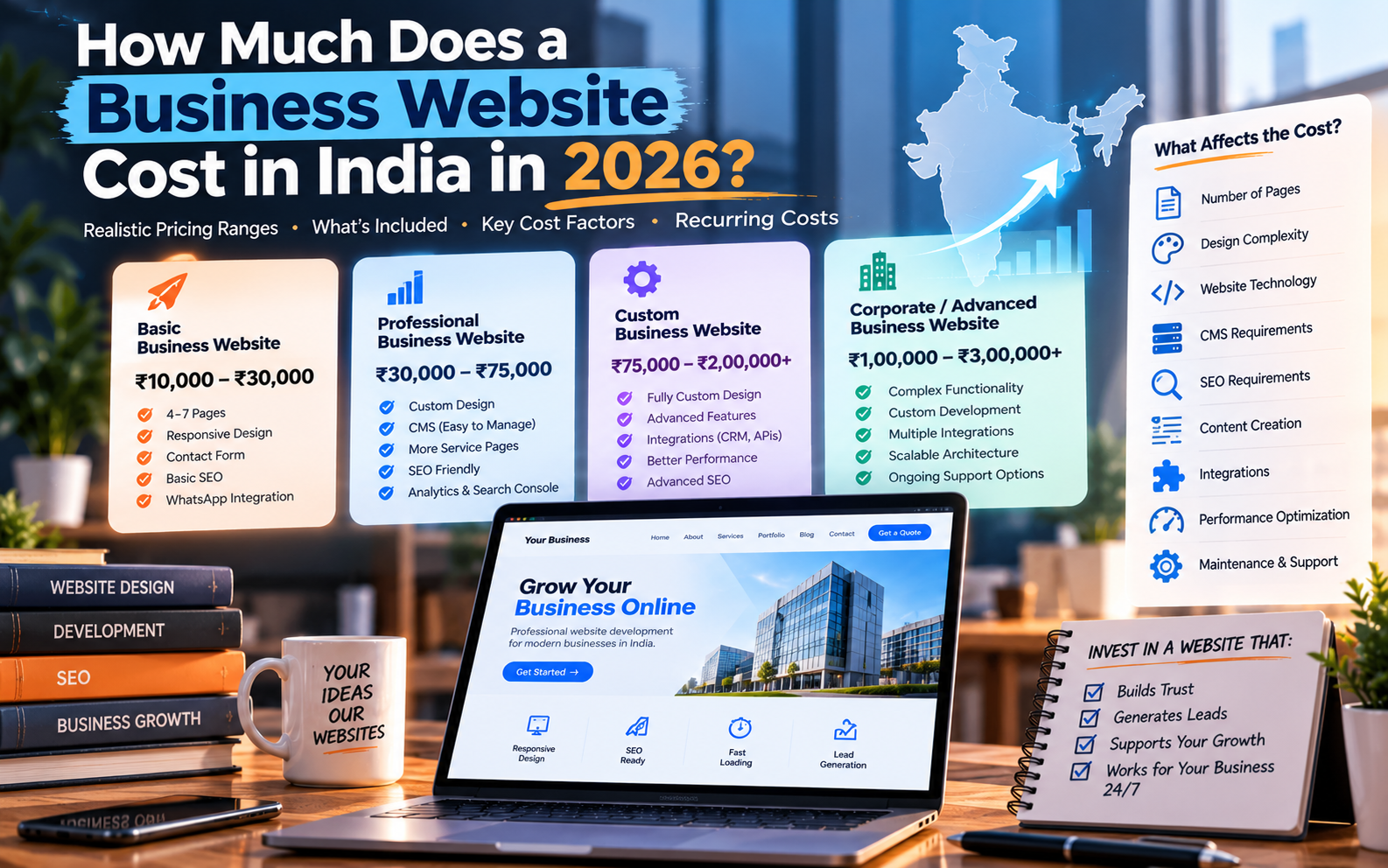
    How Much Does a Business Website Cost in India?

    If you’re planning to build a website for your business, one of the first questions you’ll probably ask is:

    “How much will a business website cost?”

    The answer isn’t one fixed number.

    In India, a business website can range from a relatively inexpensive basic site to a much larger custom project. Current 2026 market guides show significant variation depending on design, page count, CMS, functionality, integrations, SEO requirements, and the development team you choose.

    For many small and medium businesses, the important question isn’t simply “What is the cheapest website?”

    It’s:

    “What type of website does my business actually need?”

    This guide breaks down the answer.

    Quick Answer: Business Website Cost in India in 2026

    As a planning range, you may encounter pricing around:

    Website TypeIndicative 2026 Cost
    Basic business website₹10,000 – ₹30,000
    Professional business website₹30,000 – ₹75,000
    Custom business website₹75,000 – ₹2,00,000+
    Corporate / advanced website₹1,00,000 – ₹3,00,000+
    Business website with advanced integrations₹1,50,000+

    These are indicative planning ranges, not fixed market prices. Current Indian pricing guides vary considerably, which reflects differences in scope, provider type, design, technology and included services.

    A ₹15,000 website and a ₹1,50,000 website may both technically be called a “business website” while being completely different projects.


    What Is a Business Website?

    A business website is a website designed primarily to establish an online presence and help customers understand and interact with a business.

    It may include:

    • Homepage
    • About Us
    • Services
    • Individual service pages
    • Products
    • Contact page
    • Testimonials
    • Portfolio
    • Gallery
    • Blog
    • FAQs
    • Location information
    • Enquiry forms
    • WhatsApp integration
    • Social media links

    Depending on the business, it may also include more advanced functionality such as bookings, payments, customer accounts or third-party integrations.

    That’s why simply asking for the price of “a website” isn’t enough.


    Business Website Cost by Budget

    Let’s look at what different budgets can typically mean.

    ₹10,000 – ₹30,000: Basic Business Website

    This budget is generally suitable for businesses that primarily need a professional online presence.

    A typical website might include:

    • 4–7 pages
    • Responsive design
    • About section
    • Services
    • Contact page
    • Contact form
    • WhatsApp button
    • Google Maps
    • Basic SEO setup
    • Basic analytics

    This type of website can work well for:

    • Local businesses
    • Consultants
    • Freelancers
    • Small service businesses
    • Clinics
    • Gyms
    • Salons
    • Restaurants
    • Coaching businesses

    The exact scope depends heavily on the provider and whether the design is template-based or customized.


    ₹30,000 – ₹75,000: Professional Business Website

    At this level, businesses can generally expect more attention to design, structure and customization.

    The website may include:

    • Custom-designed pages
    • More service pages
    • Better visual hierarchy
    • CMS
    • Blog
    • SEO-friendly structure
    • Lead forms
    • WhatsApp integration
    • Analytics
    • Search Console setup
    • Better performance optimization
    • Custom graphics
    • More detailed responsive design

    This is often appropriate for businesses that want their website to become an important part of their marketing strategy rather than simply an online visiting card.


    ₹75,000 – ₹2,00,000+: Custom Business Website

    A higher budget can support more extensive customization.

    Possible requirements include:

    • Fully custom UI
    • Custom frontend development
    • Advanced animations
    • Custom CMS functionality
    • CRM integration
    • API integrations
    • Booking systems
    • Advanced forms
    • Customer dashboards
    • Custom search
    • Advanced SEO architecture
    • Multiple business locations
    • Advanced analytics

    At this point, the website begins to become a more substantial digital product rather than a simple brochure site.


    ₹2,00,000+: Advanced Business Platforms

    Some businesses require functionality that goes far beyond a traditional website.

    Examples include:

    • Customer portals
    • Vendor portals
    • Booking platforms
    • Membership systems
    • Business dashboards
    • Advanced e-commerce
    • ERP/CRM integrations
    • Custom workflows
    • Subscription systems
    • Marketplace functionality

    These projects should generally be scoped according to functionality rather than page count.


    What Actually Determines Business Website Cost?

    The biggest mistake is assuming that website pricing is primarily determined by the number of pages.

    Page count matters, but several other factors can have a much bigger effect.

    1. Number of Pages

    A website with five pages is naturally different from one with 40 detailed pages.

    For example:

    5-page website

    • Home
    • About
    • Services
    • Gallery
    • Contact

    versus:

    25-page website

    • Home
    • About
    • 10 individual service pages
    • 5 industry pages
    • Case studies
    • Blog
    • FAQs
    • Contact
    • Multiple location pages

    The second website requires considerably more planning and content organization.


    2. Design Complexity

    A basic template-based design can be relatively inexpensive.

    A completely custom design may require:

    • Wireframes
    • UI design
    • Custom components
    • Design revisions
    • Animations
    • Responsive layouts
    • Custom illustrations

    The more unique the design requirements, the more development time is generally involved.


    3. Website Technology

    The technology used can also influence development cost.

    For example, a business might use:

    • WordPress
    • Shopify
    • Webflow
    • Static HTML/CSS/JavaScript
    • React
    • Next.js
    • Laravel
    • Node.js
    • Other custom frameworks

    There is no universally best technology.

    The appropriate choice depends on what the website needs to do.


    4. CMS Requirements

    If your team needs to regularly update:

    • Services
    • Products
    • Blog posts
    • Images
    • Team members
    • Testimonials

    then a content management system can be useful.

    WordPress is one common option, while custom CMS solutions may make sense for more specialized requirements.


    5. SEO Requirements

    A website built purely for appearance is different from a website designed to support organic search.

    An SEO-ready business website may require:

    • Logical URL structure
    • SEO-friendly headings
    • Metadata
    • Internal linking
    • XML sitemap
    • Structured data
    • Image optimization
    • Mobile optimization
    • Fast loading
    • Crawlable architecture
    • Service and location pages

    SEO should ideally be considered during development rather than added after everything is finished.

    You can read more about this in our article:

    Why SEO Should Start During Website Development — Not After


    6. Content

    Content is another cost that businesses often overlook.

    Someone needs to create:

    • Website copy
    • Service descriptions
    • Headlines
    • FAQs
    • Images
    • Product information
    • Case studies

    Some developers provide content as part of the project.

    Others only develop the website using content supplied by the client.

    Always clarify this before accepting a quotation.


    7. Integrations

    Integrations can significantly change a project’s complexity.

    Examples include:

    • WhatsApp
    • Google Maps
    • Payment gateways
    • CRM
    • Email marketing
    • Calendars
    • Booking systems
    • Social media
    • Analytics
    • Inventory systems
    • APIs

    A website with several external integrations requires more development and testing than a simple informational site.


    What Does a ₹20,000 Website vs ₹1,00,000 Website Look Like?

    This is one of the most useful ways to understand pricing.

    FactorAround ₹20KAround ₹1L+
    DesignBasic/customizedMore customized
    PagesLimitedMore extensive
    CMSBasic or includedMore advanced
    SEOBasic setupMore comprehensive
    IntegrationsFewMultiple
    AnimationsLimitedMore advanced
    ContentOften client-providedMay include content support
    PerformanceBasic optimizationMore extensive optimization
    Custom functionalityLimitedSignificant
    Development timeShorterLonger

    These aren’t universal specifications. A provider can structure a ₹20,000 or ₹1,00,000 project differently.

    The point is that price should always be evaluated against scope.


    Don’t Forget the Recurring Costs

    The development quotation isn’t necessarily the total cost of owning a website.

    You may also need to budget for:

    Domain

    Your domain name generally needs to be renewed periodically.

    Hosting

    Hosting is where your website’s files and application are stored.

    SSL

    HTTPS is essential for modern websites. Many hosting providers include SSL, but confirm this with your provider.

    Maintenance

    Depending on your website, ongoing maintenance may include:

    • Updates
    • Backups
    • Security monitoring
    • Bug fixes
    • Content changes
    • Performance optimization

    Premium Tools and Plugins

    Some websites require paid:

    • Plugins
    • Themes
    • Fonts
    • APIs
    • SaaS services
    • Email services

    SEO and Marketing

    Website development and digital marketing are separate activities.

    A website can be technically excellent without automatically generating traffic.

    If organic visibility is important, you may need an ongoing SEO strategy.


    What Is Usually Included in a Business Website Package?

    Before comparing quotations, ask exactly what the package includes.

    A professional website package may include:

    • Website design
    • Development
    • Mobile responsiveness
    • Contact form
    • Basic SEO setup
    • Analytics
    • Search Console
    • SSL configuration
    • Basic performance optimization
    • Deployment

    But don’t assume these are included.

    Ask the developer.


    What May Not Be Included?

    Depending on the provider, these may cost extra:

    • Website content
    • Professional photography
    • Video production
    • Logo design
    • Advanced SEO
    • Paid plugins
    • Premium themes
    • Hosting
    • Domain
    • Maintenance
    • Advanced integrations
    • Custom illustrations
    • Copywriting
    • Large-scale content migration

    A quotation should clearly separate included work from optional work.


    How to Compare Two Website Quotes

    Suppose you receive these two quotations:

    Developer A: ₹15,000
    Developer B: ₹45,000

    Don’t immediately assume Developer A is cheaper.

    Compare:

    • Number of pages
    • Design approach
    • Technology
    • CMS
    • SEO setup
    • Performance optimization
    • Content responsibility
    • Integrations
    • Revisions
    • Hosting
    • Domain
    • Maintenance
    • Ownership
    • Delivery timeline
    • Support

    The ₹15,000 quotation may exclude several things that are included in the ₹45,000 quotation.


    Should You Choose the Cheapest Website?

    Price is one factor, but it shouldn’t be the only factor.

    A website that looks inexpensive initially can become expensive if you later need:

    • Redesign
    • Performance fixes
    • SEO restructuring
    • Security fixes
    • Missing features
    • Migration
    • Additional development

    On the other hand, paying more doesn’t automatically mean you’ll receive a better website.

    The right approach is to compare scope, quality, ownership, support and expected business use.


    How Much Should a Small Business Budget for a Website?

    There isn’t one correct budget for every small business.

    A useful starting point is to ask:

    Do I only need an online presence?

    A basic website may be enough.

    Do I need the website to generate leads?

    You may need better design, service pages, forms, analytics and conversion optimization.

    Do I want to generate organic traffic?

    SEO architecture and content should become part of the project.

    Do customers need to perform actions?

    Bookings, payments, accounts or dashboards can substantially increase complexity.

    Your budget should follow these requirements.


    Business Website vs Website as a Business Asset

    There’s an important difference between:

    “I need a website.”

    and

    “I need a website that helps my business.”

    The first approach usually focuses on:

    • Pages
    • Design
    • Price
    • Delivery

    The second considers:

    • Search visibility
    • Leads
    • User experience
    • Trust
    • Performance
    • Analytics
    • Conversion
    • Scalability

    For businesses investing in digital growth, the second approach can be more useful because the website becomes part of the broader marketing system.


    A Simple Business Website Budget Checklist

    Before requesting quotations, write down:

    • Number of pages
    • Required features
    • Target audience
    • Required design style
    • Mobile requirements
    • CMS requirement
    • SEO requirements
    • Blog requirement
    • Forms
    • WhatsApp integration
    • Google Maps
    • Third-party integrations
    • Content responsibility
    • Domain
    • Hosting
    • Maintenance
    • Timeline
    • Revision policy
    • Ownership of website and source files

    This makes it much easier to compare different quotations.


    Frequently Asked Questions

    How much does a basic business website cost in India?

    A basic business website can commonly fall somewhere around ₹10,000–₹30,000, although actual pricing varies considerably depending on the provider, design, pages and features. Current 2026 market guides show different ranges for similar projects.

    How much does a professional business website cost?

    A professionally designed business website may commonly fall around ₹30,000–₹75,000 or higher depending on customization, SEO, content and functionality. Some agencies quote considerably more for custom design and development.

    Is ₹10,000 enough for a business website?

    It can be enough for a relatively simple website with limited pages and functionality. It may not be sufficient for a highly customized website with advanced integrations or extensive content and SEO work.

    Does website development include hosting?

    Not necessarily. Some providers include hosting for a limited period, while others charge separately. Always check the quotation.

    Does website development include SEO?

    Basic technical SEO may be included in some packages, but ongoing SEO is generally a separate service. Ask exactly what “SEO included” means.

    How long does it take to build a business website?

    A simple business website may take days to a few weeks, while larger custom websites can take several weeks or months. Timeline depends on scope, content availability, revisions and integrations.

    Should I choose WordPress for my business website?

    WordPress can be a practical choice for many content-driven business websites because it provides a CMS and a large ecosystem. Custom development may make more sense when a business needs specialized functionality or workflows.

    For a detailed comparison, read:

    WordPress vs Custom Website Development: Which Is Better for Your Business?

    Is website development a one-time cost?

    The initial development is usually a project cost, but websites can also have recurring expenses such as domain renewal, hosting, maintenance, premium tools and ongoing SEO.


    Conclusion

    The cost of a business website in India can vary significantly because “business website” describes a broad category rather than one standardized product.

    A simple website might cost around ₹10,000–₹30,000, while a more professional or customized website can move into ₹50,000, ₹1 lakh or beyond depending on the requirements.

    The most important factors are:

    • Design
    • Number of pages
    • Functionality
    • Technology
    • SEO
    • Integrations
    • Content
    • Performance
    • Maintenance

    Instead of asking only:

    “How much does a website cost?”

    ask:

    “What does my business need the website to accomplish?”

    Once that is clear, choosing the right technology, scope and budget becomes much easier.
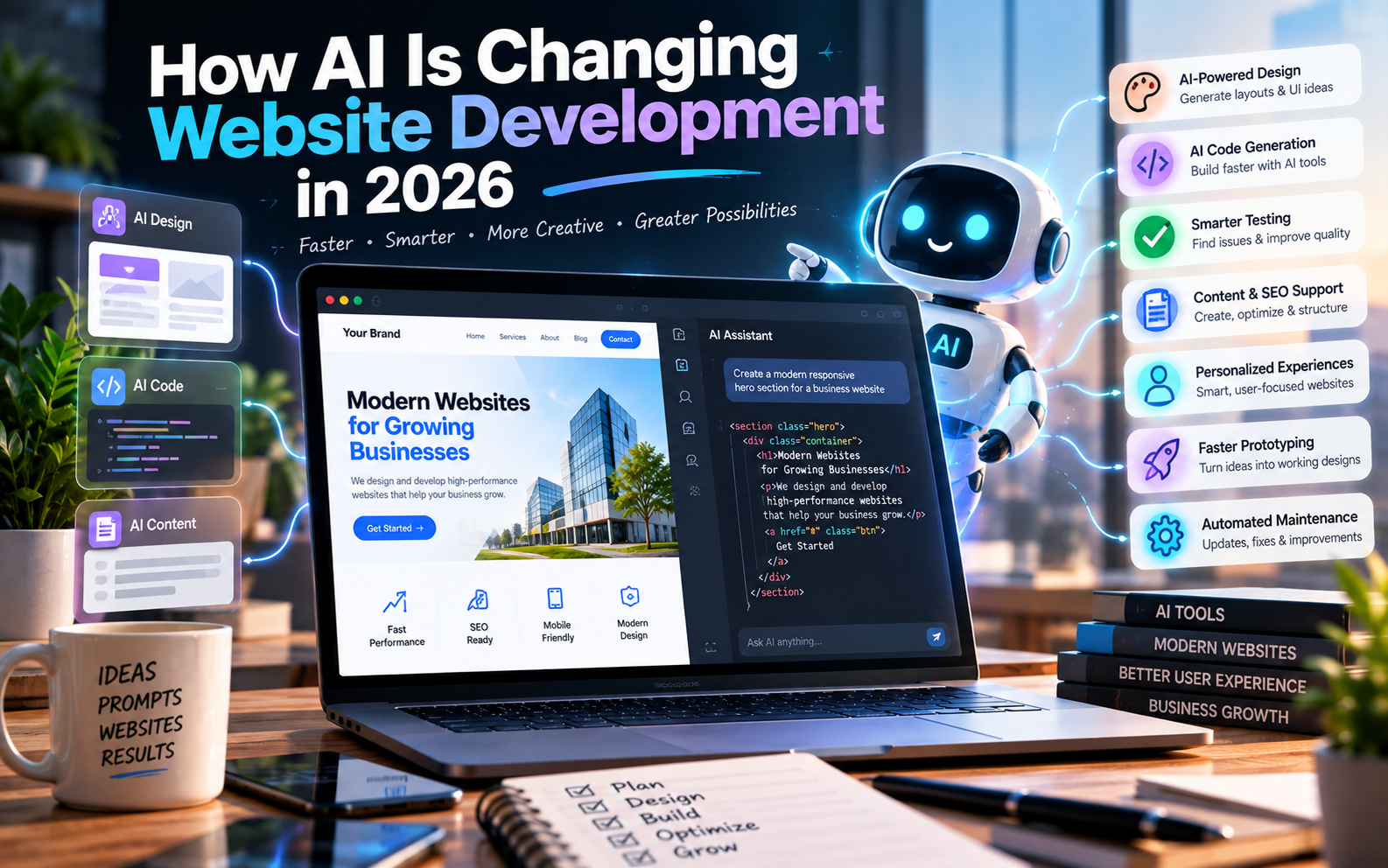
  • How AI Is Changing Website Development in 2026

    How AI Is Changing Website Development in 2026

    Artificial intelligence is changing the way websites are planned, designed and developed.

    A few years ago, building a website usually meant manually creating designs, writing code, testing individual components and repeatedly making changes. Today, AI can assist with many of these tasks.

    Developers can use AI to explain code, generate components, identify bugs, create tests, work through development tasks and even assist with larger software projects. GitHub’s current documentation, for example, describes Copilot as being able to help developers understand code, write code, review changes and work on assigned tasks.

    AI is also making it easier for non-developers to create initial website concepts and prototypes.

    But this doesn’t mean that AI has replaced website developers.

    Instead, website development is moving toward a workflow where humans and AI work together.

    Let’s look at what is actually changing.

    What Is AI Website Development?

    AI website development means using artificial intelligence tools during one or more stages of the website development process.

    AI can assist with:

    • Website planning
    • Content structure
    • UI ideas
    • Design concepts
    • Code generation
    • Code explanation
    • Debugging
    • Testing
    • SEO assistance
    • Image creation
    • Content generation
    • Documentation
    • Maintenance
    • Automation
    • Personalization

    The important distinction is that AI can be used as a development assistant, rather than necessarily being responsible for the entire project.


    1. AI Can Generate Website Code

    One of the biggest changes is the ability to describe a website or functionality in natural language and have AI generate code.

    For example, a developer can ask for:

    “Create a responsive pricing section with three plans, monthly and yearly pricing, and a highlighted recommended plan.”

    An AI coding tool can generate an initial implementation that the developer can then inspect, modify and integrate.

    Modern coding assistants have moved beyond simple autocomplete. GitHub’s current Copilot documentation describes workflows where an agent can research a repository, plan changes, modify code and create a pull request for review.

    This changes the developer’s role from manually writing every line toward planning, reviewing, testing and directing implementation.


    2. Website Prototyping Is Becoming Faster

    AI can significantly reduce the time required to turn an idea into an initial prototype.

    Instead of starting with an empty project, developers can use AI to generate:

    • Page structures
    • Components
    • Navigation
    • Forms
    • Dashboard layouts
    • Authentication screens
    • Database structures
    • API integrations
    • Responsive layouts

    This is particularly useful during the early stages of a project.

    A business owner can describe an idea, and a development team can use AI to quickly create something that can be tested and discussed.

    But a prototype isn’t necessarily a production website

    This distinction is extremely important.

    A generated prototype may demonstrate how something should work without being ready for:

    • High traffic
    • Sensitive information
    • Payments
    • Complex permissions
    • Security-critical workflows
    • Long-term maintenance

    AI can accelerate the starting point, but production readiness still requires engineering.


    3. AI Is Becoming Part of the Developer’s Workflow

    AI is increasingly being integrated directly into development environments and repositories.

    Developers can use AI to:

    • Explain unfamiliar code
    • Generate functions
    • Refactor code
    • Find potential problems
    • Write tests
    • Review changes
    • Create documentation
    • Work through development issues

    GitHub currently provides Copilot across different development surfaces, including GitHub, IDEs and agent-based workflows.

    Google also provides Gemini Code Assist for development teams to assist throughout the software development lifecycle.

    This means AI isn’t necessarily a separate tool developers open occasionally.

    It can become part of the normal development environment.


    4. AI Is Changing Website Design

    AI isn’t limited to writing code.

    It can also help with design exploration.

    For example, AI can assist with:

    • Layout ideas
    • Color combinations
    • Typography suggestions
    • Landing-page concepts
    • UI component ideas
    • Image generation
    • Illustrations
    • Icons
    • Visual variations

    This can make the design exploration stage faster.

    A designer or developer can generate multiple concepts before deciding which direction should be developed further.

    Human design judgment still matters

    AI-generated designs can sometimes look visually impressive but fail to account for the actual business.

    A website still needs to communicate:

    • What the company does
    • Who it serves
    • Why customers should trust it
    • What action visitors should take

    Good design isn’t simply about making something attractive.

    It is about solving a communication and usability problem.


    5. AI Can Help Developers Debug Websites

    Debugging can consume a significant amount of development time.

    AI can help developers understand errors by explaining:

    • What an error means
    • Where it may originate
    • What files may be involved
    • Potential solutions
    • Possible side effects of a change

    It can also help developers reason through unfamiliar codebases.

    However, AI suggestions should still be tested.

    A generated fix can solve one problem while accidentally creating another.

    That’s why the workflow should be:

    AI suggestion → developer review → testing → verification

    rather than:

    AI suggestion → immediately publish


    6. AI Can Help With Testing

    AI is also being used to assist with software testing.

    Developers can use AI to help create:

    • Unit tests
    • Test cases
    • Edge-case scenarios
    • Validation logic
    • Regression tests
    • Test documentation

    For example, if a website has a registration form, AI can help identify scenarios such as:

    • Empty fields
    • Invalid email addresses
    • Weak passwords
    • Duplicate accounts
    • Incorrect verification codes
    • Unexpected input

    This can help development teams think about cases that may otherwise be overlooked.

    But generated tests also need review.

    A test is useful only if it actually verifies the intended behavior.


    7. AI Can Help With SEO During Development

    AI is also entering the SEO workflow.

    It can assist with:

    • Keyword research
    • Content outlines
    • Meta descriptions
    • Title ideas
    • Internal linking suggestions
    • FAQ ideas
    • Content organization
    • Schema implementation assistance
    • Content gap analysis

    However, AI-generated content should not automatically be treated as SEO-ready.

    Search engines still care about useful, relevant and trustworthy content.

    AI should therefore be used to assist the SEO process, not simply produce hundreds of pages and publish them without review.

    This is especially important for businesses competing in commercially valuable search results.


    8. AI Can Help Personalize Websites

    Another major opportunity is website personalization.

    AI systems can potentially help websites deliver different experiences based on available context and user behavior.

    For example, an e-commerce website could use AI to assist with:

    • Product recommendations
    • Search results
    • Content suggestions
    • Customer support
    • Personalized offers

    A service business could use AI to help visitors find the most relevant service based on their requirements.

    The objective is to make the website more useful rather than simply adding an AI feature because it is trendy.


    9. AI Chatbots Are Becoming Website Features

    AI-powered chat interfaces are becoming increasingly common.

    Instead of a basic FAQ page, a website can provide an interface where visitors ask questions in natural language.

    For example:

    Visitor:
    “Do you provide website development for restaurants?”

    AI assistant:
    “Yes. We develop business websites for restaurants with menus, enquiry forms, location information and other relevant features.”

    A chatbot can potentially help with:

    • FAQs
    • Product discovery
    • Lead qualification
    • Customer support
    • Documentation
    • Appointment assistance

    However, businesses should carefully consider what information the AI is allowed to access and what actions it can perform.


    10. AI Can Generate Content Faster

    AI can help create the first draft of:

    • Website copy
    • Product descriptions
    • Blog outlines
    • FAQs
    • Email copy
    • Landing-page sections
    • Documentation

    This can reduce the time required to produce initial content.

    But businesses should avoid publishing generic AI-generated text without editing.

    Your website should still contain:

    • Real business information
    • Accurate service descriptions
    • Original insights
    • Actual experience
    • Correct pricing where applicable
    • Genuine case studies
    • Human-reviewed content

    AI can help with production speed, but business knowledge provides the substance.


    11. AI Is Changing How Developers Work With Existing Code

    AI isn’t only useful for new websites.

    It can also help developers understand existing projects.

    Imagine receiving a website containing thousands of lines of code that another developer created several years ago.

    An AI coding assistant can help explain:

    • What different files do
    • How components interact
    • Where particular functionality is implemented
    • How APIs are connected
    • Where potential problems may exist

    This can make maintenance and onboarding easier.

    However, developers should still inspect the actual codebase rather than trusting AI’s interpretation blindly.


    12. AI Can Assist With Website Maintenance

    Website development doesn’t end when a website launches.

    Websites require ongoing:

    • Bug fixes
    • Updates
    • Security reviews
    • Content changes
    • Performance optimization
    • Dependency updates
    • Feature development

    AI can assist developers in identifying and addressing some of these tasks.

    Agent-based development is also moving toward workflows where AI can work through assigned issues and return changes for human review. GitHub documents this model through Copilot’s cloud-agent workflow.

    This could make maintenance workflows more efficient, particularly for repetitive development tasks.


    AI Website Builders vs AI-Assisted Development

    These two concepts are often confused.

    AI Website Builder

    An AI website builder typically allows someone to describe a website and generate a website or prototype with limited technical work.

    It can be useful for:

    • Simple business websites
    • Landing pages
    • Personal websites
    • Early prototypes
    • Small projects

    AI-Assisted Development

    AI-assisted development involves professional developers using AI as part of a broader engineering workflow.

    This may involve:

    • Custom code
    • Databases
    • APIs
    • Authentication
    • Payment systems
    • Third-party integrations
    • Testing
    • Security
    • Deployment

    For more complex projects, AI-assisted development can provide flexibility without eliminating engineering oversight.


    Does AI Replace Web Developers?

    AI is changing the responsibilities of developers, but it does not mean that professional development has become unnecessary.

    A website developer does much more than write code.

    Developers need to understand:

    • Business requirements
    • Architecture
    • Security
    • Databases
    • APIs
    • Performance
    • Accessibility
    • Testing
    • Deployment
    • Maintenance

    AI can generate a solution that appears correct while still containing problems.

    For example, generated code may:

    • Expose sensitive information
    • Use insecure patterns
    • Handle errors incorrectly
    • Create unnecessary dependencies
    • Perform poorly at scale
    • Fail under unusual conditions

    Human review remains important.

    GitHub’s own documentation emphasizes reviewing Copilot-generated work rather than treating it as automatically correct.


    What AI Is Good At vs What Developers Still Need to Handle

    TaskAI AssistanceHuman Oversight
    Code generationHighRequired
    UI ideasHighRequired
    Content draftsHighRequired
    Debugging assistanceHighRequired
    DocumentationHighRequired
    Testing ideasHighRequired
    Business strategyUsefulEssential
    ArchitectureUsefulEssential
    SecurityAssistanceEssential
    Production deploymentAssistanceEssential
    Complex integrationsAssistanceEssential
    Final quality controlLimitedEssential

    The pattern is simple:

    AI can accelerate many tasks, but responsibility still belongs to the development process.


    The Biggest Risk: Treating AI-Generated Code as Finished Code

    One of the biggest mistakes businesses can make is assuming:

    “AI generated it, so it must be ready.”

    That’s not how professional development should work.

    AI-generated code should go through a process such as:

    Requirement → AI generation → Developer review → Testing → Security review → Optimization → Deployment

    This is particularly important when a website handles:

    • Payments
    • Customer accounts
    • Personal information
    • Business data
    • User-generated content
    • Authentication
    • Sensitive APIs

    The more important the system, the more important verification becomes.


    How AI Is Changing the Role of Web Developers

    The traditional workflow was often:

    Requirement → Design → Manual coding → Testing → Deployment

    AI-assisted development can look more like:

    Requirement → Planning → AI-assisted implementation → Review → Testing → Optimization → Deployment

    This means developers may spend less time on repetitive implementation and more time on:

    • Architecture
    • Problem solving
    • Product decisions
    • Code review
    • Testing
    • Security
    • Performance
    • Client requirements

    The developer becomes increasingly responsible for directing and validating the development process.


    What This Means for Businesses

    For businesses, the biggest benefit of AI isn’t simply that websites can be generated faster.

    The larger opportunity is potentially reducing the time between:

    Idea → Prototype → Feedback → Improvement → Launch

    A business can test concepts faster.

    Developers can iterate faster.

    Designers can explore more options.

    Teams can automate repetitive work.

    But businesses should not choose a development approach purely because it uses AI.

    Instead, evaluate:

    • What are you building?
    • How complex is it?
    • Does it handle sensitive information?
    • How much customization is required?
    • What integrations are needed?
    • Who will maintain it?
    • How will it scale?

    The technology should follow the requirement—not the other way around.


    How Banex Digital Can Use AI in Website Development

    For a modern web development workflow, AI can be incorporated at multiple stages:

    Planning
    → Understand requirements and structure the project.

    Design
    → Explore layouts, components and visual directions.

    Development
    → Accelerate coding and implementation.

    Testing
    → Generate test cases and identify potential issues.

    SEO
    → Assist with structure, content planning and optimization.

    Optimization
    → Analyze performance and identify improvement opportunities.

    Maintenance
    → Assist with debugging, updates and future development.

    The important part is that AI remains part of a controlled development workflow, rather than replacing the entire process.


    Frequently Asked Questions

    Can AI build a complete website?

    Yes, AI tools can generate complete website prototypes and, in some cases, substantial working applications. However, complex or production-critical websites still require testing, security review, customization and ongoing maintenance.

    Is AI website development cheaper?

    AI can reduce development time for some tasks, but the total project cost still depends on complexity, functionality, design, integrations, testing and maintenance.

    Can AI replace web developers?

    AI can automate or accelerate many development tasks, but developers are still needed for requirements, architecture, security, testing, integration, quality control and complex problem-solving.

    Is AI-generated code safe?

    Not automatically. AI-generated code should be reviewed and tested, particularly when it handles authentication, payments, personal information or other sensitive functionality.

    Is an AI website builder good for a small business?

    It can be suitable for simple websites and early prototypes. Businesses with more complex requirements may need a developer or development team to customize, integrate and maintain the website.

    Will AI change website development in the future?

    AI is already changing development workflows, and its capabilities continue to evolve. The likely direction is greater AI assistance across coding, testing, design, deployment and maintenance, with human oversight remaining important for business and technical decisions.


    Conclusion

    AI is changing website development from the ground up.

    It can help developers write code, explore designs, debug problems, create tests, generate content and work through development tasks faster.

    It is also making website creation more accessible to people who don’t have traditional programming skills.

    But faster development doesn’t automatically mean better development.

    A successful website still needs good planning, thoughtful design, secure implementation, strong performance, useful content and ongoing maintenance.

    The future of website development is therefore unlikely to be simply AI vs developers.

    Instead, it is increasingly becoming:

    Developers + AI + better workflows.

    For businesses, the important question isn’t whether AI is being used.

    The better question is how effectively and responsibly it is being used to build the website your business actually needs.

  • Why Is Your Website Slow? 10 Common Causes and How to Fix Them

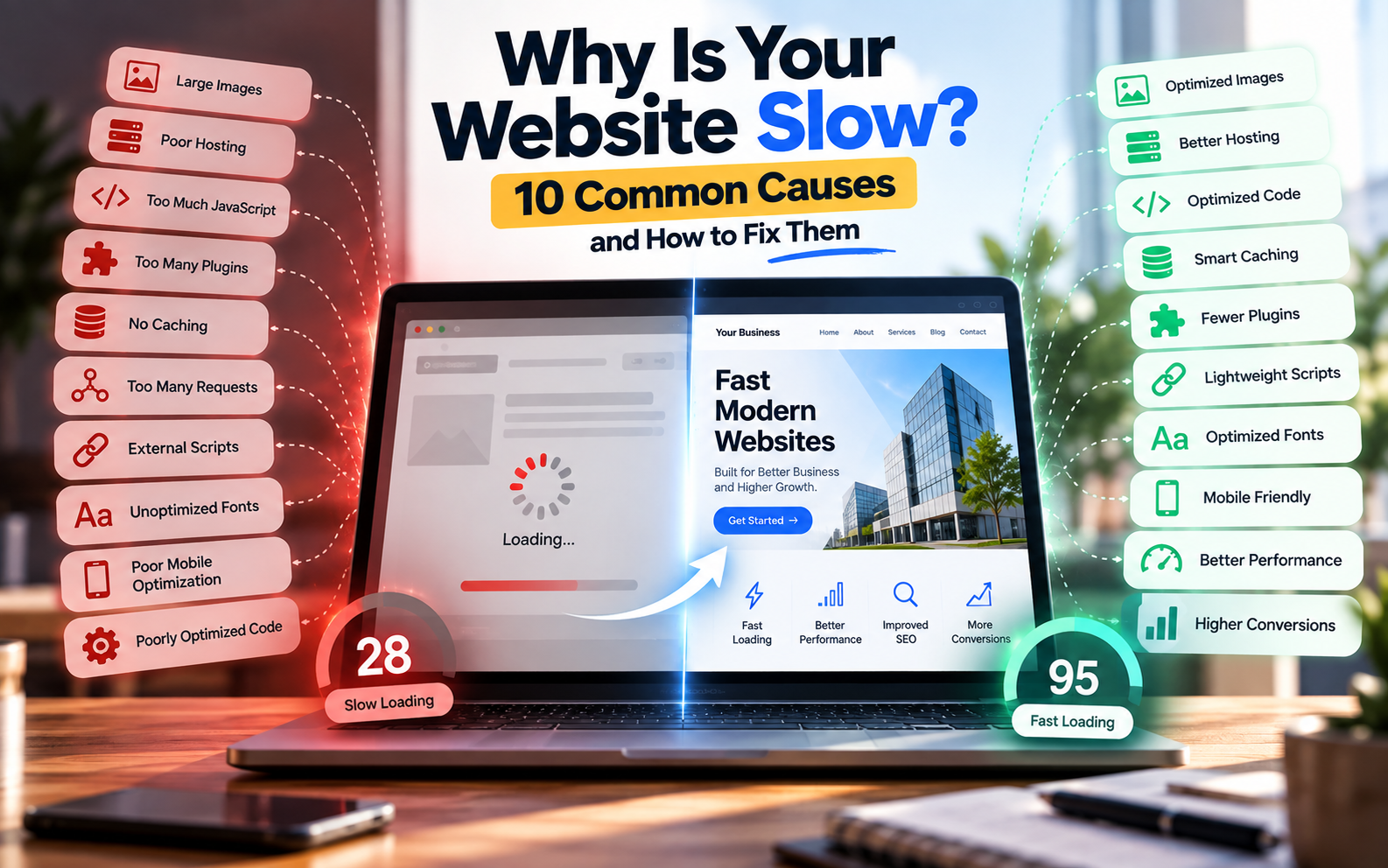
    Why Is Your Website Slow? 10 Common Causes and How to Fix Them

    A website may look great and have all the right information, but if it takes too long to load, visitors may leave before they even see the content.

    Website speed is influenced by many factors, including images, hosting, code, JavaScript, plugins, fonts, third-party services, caching and mobile optimization.

    Google also considers page experience and Core Web Vitals as part of its broader search systems. However, Google makes clear that good Core Web Vitals alone do not guarantee high search rankings.

    So if you’re wondering “Why is my website slow?”, the answer is usually not just one thing.

    Let’s look at the most common causes and how to fix them.

    1. Large and Unoptimized Images

    One of the most common reasons for a slow website is oversized image files.

    For example, uploading a 4–8 MB photograph directly from a camera or phone can significantly increase the amount of data a visitor has to download.

    This becomes even more important on mobile networks.

    How to fix it

    Before uploading images:

    • Resize images to the dimensions actually required.
    • Compress images before uploading.
    • Use modern formats such as WebP or AVIF where appropriate.
    • Avoid uploading unnecessarily high-resolution images.
    • Use responsive image sizes for different devices.
    • Lazy-load images that aren’t immediately visible.

    You should pay particular attention to large hero images because they can have a significant effect on the initial loading experience.

    2. Poor Web Hosting

    Your website can be properly coded and still feel slow if the hosting environment is inadequate.

    Hosting affects factors such as server response time, available resources, storage performance and how efficiently requests are handled.

    This can become particularly noticeable when:

    • Traffic increases
    • Multiple websites share limited resources
    • The server is located far from important users
    • The website uses resource-heavy applications
    • The hosting plan has insufficient resources

    How to fix it

    Review your hosting before immediately changing your website code.

    Depending on your requirements, improvements may include:

    • Moving to better hosting
    • Using a CDN
    • Improving server configuration
    • Enabling server-side caching
    • Optimizing database queries
    • Reducing unnecessary server requests

    For a small business website, you don’t necessarily need expensive infrastructure. The important thing is matching the hosting environment to the website’s actual requirements.

    3. Too Much JavaScript

    JavaScript allows websites to provide animations, interactive elements, calculators, dashboards and other advanced functionality.

    But excessive JavaScript can also make a website slower and less responsive.

    Large JavaScript bundles can take time to download, parse and execute—particularly on mobile devices.

    This can affect how quickly users can interact with a page.

    How to fix it

    Developers can:

    • Remove unnecessary JavaScript.
    • Minify JavaScript files.
    • Defer non-critical scripts.
    • Load scripts only where they are required.
    • Reduce third-party scripts.
    • Split large JavaScript bundles where appropriate.
    • Avoid unnecessary animations and effects.

    The goal isn’t to eliminate JavaScript.

    The goal is to use JavaScript where it provides real value.

    4. Too Many Plugins

    This is particularly common with WordPress websites.

    Plugins can add useful functionality without requiring custom development. However, installing a large number of unnecessary plugins can increase the amount of code, database activity and scripts running on your website.

    Two plugins may also provide overlapping functionality.

    How to fix it

    Regularly review your plugins.

    Ask:

    • Do I actually need this plugin?
    • Is another plugin already providing the same feature?
    • Is the plugin maintained?
    • Does it add unnecessary scripts?
    • Can the feature be implemented more efficiently?

    Remove plugins that are no longer required.

    For WordPress websites, fewer well-maintained plugins can be preferable to installing a plugin for every small feature.

    5. No Caching

    Without caching, a website may repeatedly perform work that doesn’t need to be repeated for every visitor.

    Caching can store commonly requested resources or generated content so that subsequent requests can be handled more efficiently.

    Common types of caching include

    • Browser caching
    • Page caching
    • Server-side caching
    • Object caching
    • CDN caching

    How to fix it

    Depending on your technology stack, implement appropriate caching at the browser, server, application or CDN level.

    For WordPress, caching plugins and hosting-level caching can help, but configuration should be tested rather than blindly enabling every available option.

    6. Too Many HTTP Requests

    Every page may need to request multiple resources, including:

    • CSS files
    • JavaScript files
    • Images
    • Fonts
    • Videos
    • Icons
    • Third-party scripts

    If a page requires a large number of resources, the browser has more work to do.

    How to fix it

    Developers can:

    • Remove unnecessary assets.
    • Combine or optimize resources where appropriate.
    • Reduce unused CSS and JavaScript.
    • Use efficient image loading.
    • Avoid unnecessary external resources.
    • Use browser and CDN caching.

    Modern browsers can handle many requests efficiently, so the goal isn’t simply to reduce the number at all costs.

    The real objective is to reduce unnecessary work and unnecessary data transfer.

    7. External Scripts and Third-Party Services

    Your website may load resources from services such as:

    • Google Analytics
    • Advertising platforms
    • Chat widgets
    • Social media embeds
    • Maps
    • Customer support tools
    • Tracking platforms
    • External fonts

    These services can be useful, but every additional dependency can introduce extra requests or JavaScript execution.

    How to fix it

    Audit every third-party service on your website.

    If a script isn’t providing meaningful value, consider removing it.

    For essential services:

    • Load them only where necessary.
    • Defer non-critical scripts where possible.
    • Avoid loading unnecessary widgets site-wide.
    • Check whether the provider offers a lighter implementation.

    8. Unoptimized Fonts

    Fonts are often overlooked when optimizing website speed.

    A website may load several font families, multiple weights and different styles even though only a small portion of them are actually used.

    How to fix it

    Try to:

    • Use fewer font families.
    • Load only the required font weights.
    • Avoid unnecessary font variations.
    • Consider system fonts when appropriate.
    • Use efficient font formats.
    • Configure font loading correctly.

    A visually attractive website doesn’t need dozens of font files.

    9. Poor Mobile Optimization

    A website that loads quickly on a powerful desktop computer may behave very differently on a mobile device.

    Mobile users may have:

    • Slower connections
    • Less powerful processors
    • Smaller screens
    • Limited data
    • Different network conditions

    That’s why performance should be tested on mobile—not only on your development computer.

    Google recommends considering mobile usability, secure delivery, Core Web Vitals and the overall page experience rather than focusing on one metric alone.

    How to fix it

    Test your website on:

    • Smartphones
    • Different screen sizes
    • Mobile networks
    • Lower-powered devices

    Also check:

    • Image sizes
    • Navigation
    • Buttons
    • Font sizes
    • Layout shifts
    • JavaScript execution
    • Page responsiveness

    10. Poorly Optimized Code and Database

    As websites become more complex, inefficient code and database operations can also become performance bottlenecks.

    This is especially relevant for:

    • E-commerce websites
    • Booking platforms
    • Dashboards
    • SaaS applications
    • Membership websites
    • Large WordPress websites
    • Websites with large databases

    A page may appear simple to the visitor while performing many operations in the background.

    How to fix it

    Developers can investigate:

    • Slow database queries
    • Unnecessary API requests
    • Inefficient backend logic
    • Large database tables
    • Repeated calculations
    • Excessive server-side processing
    • Unused code

    For larger websites, performance optimization should include both the frontend and backend.


    What Are Core Web Vitals?

    Core Web Vitals are a set of metrics designed to measure important aspects of real-world web experience.

    The current Core Web Vitals are:

    MetricWhat It MeasuresGood Target
    LCPLoading performance≤ 2.5 seconds
    INPResponsiveness≤ 200 ms
    CLSVisual stability≤ 0.1

    These recommended thresholds are evaluated at the 75th percentile and are intended to represent the experience of most users.

    LCP — Largest Contentful Paint

    LCP measures how quickly the main content of a page becomes visible.

    Large hero images, slow servers and render-blocking resources can contribute to poor LCP.

    INP — Interaction to Next Paint

    INP measures how responsive a page is to user interactions.

    Heavy JavaScript and long-running tasks can make buttons, menus and other interactions feel slow.

    CLS — Cumulative Layout Shift

    CLS measures unexpected movement of visible page content.

    For example, imagine you’re about to click a button and an image suddenly loads above it, pushing the button downward.

    That is a layout shift.

    Images without defined dimensions, dynamically inserted content and fonts can contribute to CLS.


    How to Check Your Website Speed

    You don’t have to guess whether your website is slow.

    Several tools can help identify performance problems.

    Google PageSpeed Insights

    Useful for analyzing page performance and identifying optimization opportunities.

    Google Search Console

    Search Console can help monitor Core Web Vitals using real-world data where available.

    Chrome Lighthouse

    Lighthouse can be used during development to identify performance and other page-experience issues. Google specifically recommends tools such as Lighthouse as part of page-experience evaluation.

    Browser Developer Tools

    Chrome DevTools can help developers investigate:

    • Network requests
    • JavaScript execution
    • Resource sizes
    • Loading behavior
    • Performance bottlenecks

    Why a 100/100 Performance Score Isn’t Everything

    It’s tempting to treat a website performance score as a competition.

    But optimization should be about improving the real user experience, not simply reaching a perfect number.

    Google itself notes that good Core Web Vitals or third-party performance scores do not guarantee top search rankings.

    A website should therefore be evaluated based on:

    • Real-world loading
    • Mobile experience
    • Responsiveness
    • Stability
    • Accessibility
    • Functionality
    • Content quality
    • Business goals

    A slightly lower laboratory score may sometimes be acceptable if the website provides important functionality that users actually need.


    Quick Website Speed Optimization Checklist

    Before publishing a website, check:

    • Images are compressed
    • Images use appropriate formats
    • Images have dimensions
    • Lazy loading is used where appropriate
    • CSS is optimized
    • JavaScript is minimized
    • Unnecessary scripts are removed
    • Caching is configured
    • Hosting is appropriate
    • CDN is considered where useful
    • Fonts are optimized
    • Plugins are reviewed
    • Third-party scripts are audited
    • Mobile performance is tested
    • Core Web Vitals are monitored
    • HTTPS is enabled
    • Important pages are tested individually

    Should You Fix Website Speed Before Launch?

    Ideally, yes.

    Performance shouldn’t be treated as something you discover months after launching your website.

    It is better to consider performance during development itself.

    This means making decisions about:

    • Image formats
    • Website architecture
    • Hosting
    • Code
    • JavaScript
    • Fonts
    • CMS/plugins
    • Caching
    • Mobile responsiveness

    from the beginning.

    This also connects directly with SEO-friendly website development because technical decisions made during development can affect the website’s performance and search experience.

    You can read more about this in our article:

    Why SEO Should Start During Website Development — Not After


    Frequently Asked Questions

    Why is my website slow even though it has a good hosting plan?

    Hosting is only one part of website performance. Large images, JavaScript, plugins, third-party services, poor code and database operations can still make a website slow.

    How can I speed up my website?

    Start by checking images, hosting, caching, JavaScript, CSS, plugins, fonts and third-party scripts. Then test the website using tools such as PageSpeed Insights, Lighthouse and browser developer tools.

    Does website speed affect SEO?

    Page experience and Core Web Vitals are considered by Google’s ranking systems, but good performance scores do not guarantee higher rankings. Content relevance and many other factors also matter.

    Is WordPress slower than a custom website?

    Not necessarily. Performance depends on implementation, hosting, theme, plugins, images, code and configuration. A well-optimized WordPress website can perform well, while poorly optimized custom code can also be slow.

    What is a good website loading speed?

    There isn’t one universal loading-time number that guarantees a good website experience. For Core Web Vitals, Google recommends an LCP of 2.5 seconds or less at the 75th percentile, alongside good INP and CLS values.

    Does PageSpeed Insights guarantee that my website will rank higher?

    No. Performance tools help identify technical issues, but Google explicitly states that good Core Web Vitals do not guarantee top search rankings.


    Conclusion

    A slow website isn’t always caused by one major technical problem.

    It can be the result of several small issues working together—large images, excessive JavaScript, poor hosting, unnecessary plugins, third-party scripts, caching problems or inefficient code.

    The best approach is to measure first, identify the bottleneck, and then optimize the specific problem.

    Website performance should also be considered during development rather than treated as an afterthought.

    For businesses, a fast website isn’t just about technical scores. It should help visitors find information, understand the business and complete important actions without unnecessary friction.

  • WordPress vs Custom Website Development: Which Is Better for Your Business?

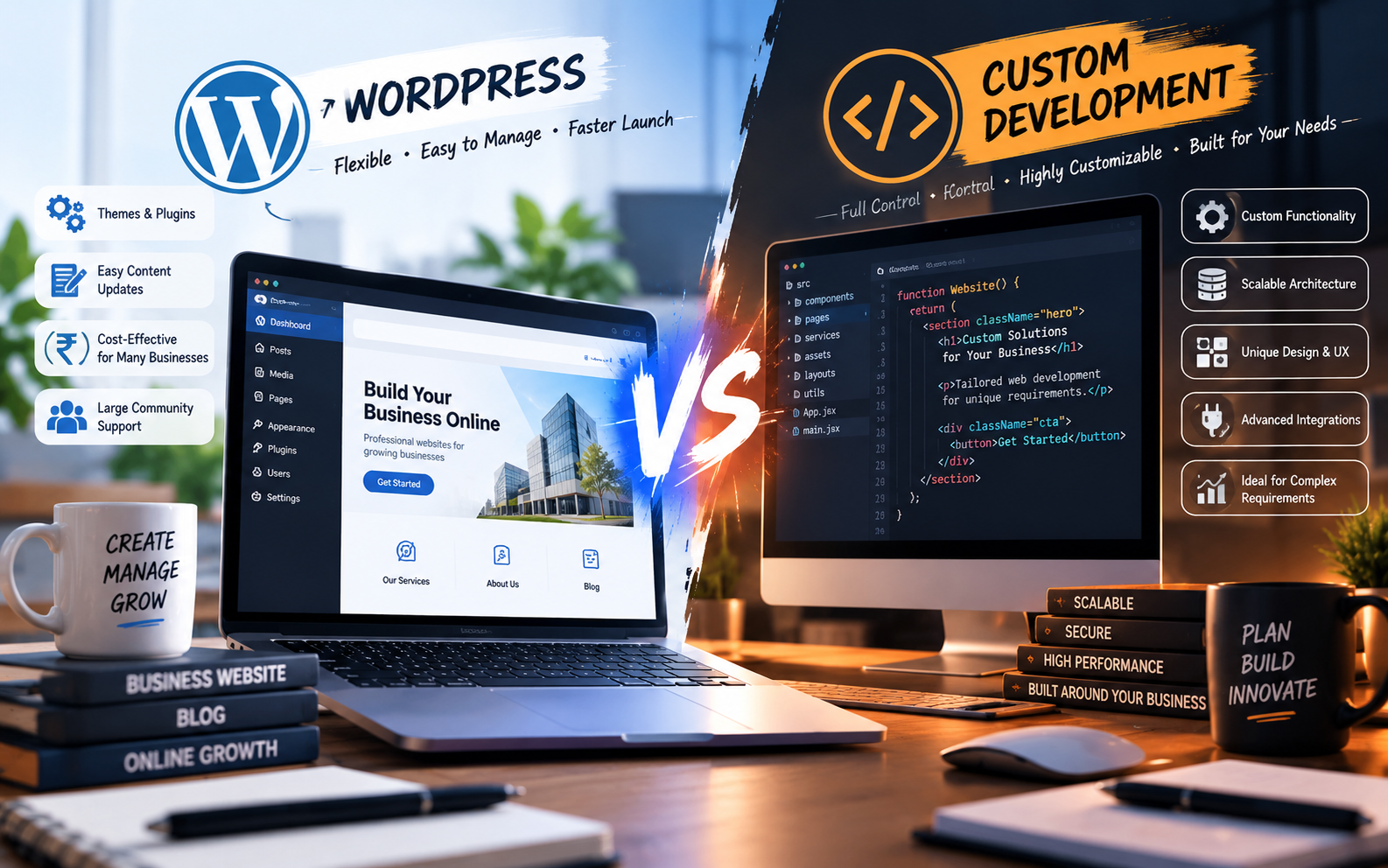
    WordPress vs Custom Website Development: Which Is Better for Your Business?

    Choosing how to build your website is one of the first major decisions you’ll make when creating a digital presence for your business.

    Two options appear again and again:

    WordPress and custom website development.

    WordPress offers a mature content management system, a large ecosystem of themes and plugins, and an easy-to-use dashboard. Custom development gives you greater control over the website’s architecture, functionality, design, integrations, and future development.

    Neither option is automatically right for every business.

    The better choice depends on what your website needs to accomplish, how much customization you require, who will manage it, and how you expect the business to grow.

    In this guide, we’ll compare WordPress and custom website development across the factors that matter most to businesses.

    What Is WordPress Website Development?

    WordPress is an open-source content management system that allows businesses to create and manage websites through an administrative dashboard.

    A WordPress website can use themes for its visual design and plugins or custom development for additional functionality.

    WordPress is commonly used for:

    • Business websites
    • Service websites
    • Blogs
    • Portfolio websites
    • News websites
    • Landing pages
    • Membership websites
    • Small and medium-sized online stores
    • Content-driven websites

    One of its biggest advantages is that routine content changes can often be made without directly editing the website’s code.

    WordPress has also developed into a large ecosystem of themes, plugins, developers, hosting providers, and tools.

    What Is Custom Website Development?

    Custom website development means building the website specifically around the requirements of a business instead of relying primarily on a general-purpose CMS and pre-built plugins.

    A custom website may use technologies such as:

    • HTML, CSS and JavaScript
    • React
    • Next.js
    • Laravel
    • Node.js
    • PHP
    • Custom databases
    • APIs
    • Headless CMS platforms

    The exact technology depends on the project’s requirements.

    Custom development is particularly useful when a website needs functionality that doesn’t fit comfortably into standard CMS workflows.

    Examples include:

    • Customer dashboards
    • Complex booking systems
    • Custom calculators
    • Business portals
    • ERP or CRM integrations
    • Marketplace functionality
    • Advanced user roles
    • Custom workflows
    • Real-time applications
    • SaaS products
    • Highly customized e-commerce systems

    WordPress vs Custom Website: Quick Comparison

    FactorWordPressCustom Website
    Initial developmentUsually fasterUsually longer
    Upfront costGenerally lower for standard websitesGenerally higher
    Content managementEasy for non-technical usersDepends on the admin system
    Design flexibilityHighVery high
    Custom functionalityPossible, often through plugins/custom codeFull control
    Plugin dependencyCan be significantUsually lower
    Performance controlGood when properly optimizedGreater architectural control
    Security managementRequires plugin/theme/core maintenanceDepends on architecture and implementation
    IntegrationsMany ready-made optionsCan be built specifically
    ScalabilityGood for many business sitesStrong for complex systems
    MaintenanceUpdates and plugin management requiredDeveloper/technical maintenance usually required
    Best suited forContent and standard business requirementsComplex or highly customized requirements

    The comparison isn’t about declaring one technology universally better. It is about matching the technology to the business requirement.

    Cost: WordPress vs Custom Website Development

    Cost is often the first thing business owners consider.

    A standard WordPress website can generally be developed more quickly because many components already exist.

    Custom development requires more engineering work because functionality, architecture, database structures, administrative systems, and integrations may need to be built specifically for the project.

    Current Indian web-development articles show wide variation in quoted prices for both options, which is why a fixed “WordPress costs X and custom costs Y” rule can be misleading. Scope, design, integrations, number of pages, functionality, hosting, maintenance, and developer/team experience all affect the final price.

    The important question isn’t simply:

    “Which one is cheaper?”

    Instead ask:

    “Which option gives my business the functionality I need without creating unnecessary complexity?”

    Development Time

    WordPress can often be launched faster for standard business requirements because the CMS, administration system, themes and plugins already exist.

    A custom website usually requires more development time because the team may need to build:

    • Frontend interfaces
    • Backend functionality
    • Database structures
    • Admin panels
    • Authentication
    • APIs
    • Integrations
    • Custom workflows
    • Testing systems

    However, the exact timeline depends heavily on project scope.

    A five-page company website and a custom customer portal should not be compared using the same development timeline.

    Ease of Content Management

    This is one area where WordPress has a major practical advantage for many content-driven businesses.

    A WordPress administrator can typically log into the dashboard and update:

    • Pages
    • Blog posts
    • Images
    • Menus
    • Categories
    • Basic website content

    A custom website can provide the same capability, but the development team needs to build or integrate the content management system.

    Therefore, if your marketing team frequently publishes articles, changes service information, uploads images, and manages website content, the editing workflow should be considered before choosing the technology.

    Design Flexibility

    Both WordPress and custom development can produce professional designs.

    The difference is how the design is implemented.

    WordPress can use:

    • Custom themes
    • Page builders
    • Block editors
    • Custom CSS
    • Custom JavaScript
    • Custom theme development

    Custom development gives the development team direct control over the interface and frontend architecture.

    That can be particularly useful when a website requires a highly specific user experience rather than a conventional business-site structure.

    So the question isn’t:

    “Can WordPress make a beautiful website?”

    It can.

    The better question is:

    “How much control does the project require over the design and functionality?”

    SEO: Is WordPress Better for SEO?

    WordPress is not automatically better for SEO.

    Likewise, a custom-coded website is not automatically better for SEO.

    SEO depends on how the website is built and maintained.

    Important factors include:

    • Website structure
    • Crawlability
    • Page speed
    • Mobile usability
    • Content quality
    • Internal linking
    • URL structure
    • Metadata
    • Structured data
    • Image optimization
    • Technical implementation
    • Search intent
    • Website authority

    A properly developed WordPress website can be SEO-friendly.

    A properly developed custom website can also be SEO-friendly.

    The technology itself should not be treated as a substitute for good SEO implementation.

    This is also why SEO should be considered during website development rather than added only after launch.

    For more information, see our guide on why SEO should start during website development.

    Performance and Website Speed

    Performance depends on many factors.

    With WordPress, performance can be influenced by:

    • Hosting
    • Theme quality
    • Plugin selection
    • Images
    • JavaScript
    • Caching
    • Database optimization
    • Third-party scripts
    • Configuration

    A poorly configured WordPress website can become unnecessarily heavy.

    A well-built WordPress website can also perform very well.

    Custom development provides greater control over the architecture, but that doesn’t automatically mean the website will be fast. Poorly written custom code, inefficient queries, oversized assets, or unnecessary scripts can also create performance problems.

    The goal should therefore be:

    Build the architecture appropriate for the project’s performance requirements.

    Security

    Security needs to be considered with both approaches.

    WordPress websites require ongoing attention to:

    • WordPress core updates
    • Theme updates
    • Plugin updates
    • Strong passwords
    • User permissions
    • Backups
    • Hosting security
    • Malware monitoring
    • Security configuration

    Custom websites have different security responsibilities.

    They may require attention to:

    • Authentication
    • Authorization
    • API security
    • Database security
    • Server configuration
    • Dependency updates
    • Input validation
    • Access control
    • Application vulnerabilities

    Custom development doesn’t automatically mean “secure,” just as WordPress doesn’t automatically mean “insecure.”

    Security depends heavily on implementation and maintenance.

    Plugins vs Custom Features

    One of the biggest differences between the two approaches is how functionality is added.

    WordPress has a large plugin ecosystem.

    For example, a business may use plugins for:

    • Forms
    • SEO
    • Analytics
    • E-commerce
    • Booking
    • Membership
    • Security
    • Caching

    This can significantly reduce development time.

    However, adding too many plugins or poorly maintained plugins can introduce maintenance, compatibility, performance, and security considerations.

    Custom development takes the opposite approach.

    Instead of finding a plugin that approximately matches the requirement, the development team can build the functionality specifically around the business process.

    Scalability

    Scalability doesn’t simply mean:

    “How many visitors can the website handle?”

    It can also mean:

    • How many features can be added?
    • How complex can the workflows become?
    • How many users need different permissions?
    • How many external systems need integration?
    • How much custom business logic is required?
    • How easy is it to modify the architecture later?

    WordPress can support many growing businesses.

    However, when a website starts behaving more like a software product—with dashboards, complex workflows, marketplace functionality, advanced integrations, or highly customized processes—a custom architecture may become more appropriate.

    When WordPress Is a Good Choice

    WordPress can be a strong fit when you need:

    • A company website
    • A service website
    • A portfolio
    • A blog
    • A content-focused website
    • A lead-generation website
    • A standard business website
    • A relatively straightforward online store
    • A website that your team needs to update regularly

    If the requirements fit established WordPress functionality, there may be little reason to build every component from scratch.

    When Custom Development Makes More Sense

    Custom development becomes more relevant when you need:

    • Complex business logic
    • Custom dashboards
    • User accounts and roles
    • Advanced integrations
    • Custom APIs
    • Real-time functionality
    • Large-scale marketplaces
    • SaaS functionality
    • Complex internal workflows
    • Specialized databases
    • Highly customized e-commerce
    • A website that is effectively becoming a software product

    In these situations, forcing everything into a standard CMS can create unnecessary complexity.

    Can You Use Both?

    Yes.

    A business doesn’t necessarily have to choose one technology for everything.

    For example:

    Main website

    WordPress

    Customer application

    Custom development

    Application URL

    app.example.com

    This hybrid approach can allow a business to use WordPress where content management is important while using custom technology for more complex product functionality.

    This can be particularly useful for businesses that have both a marketing website and a software product.

    WordPress vs Custom Website: What Should You Choose?

    Instead of choosing based on what a developer prefers, start with your requirements.

    Ask these questions:

    1. Who will update the website?

    If your marketing team needs to make frequent content changes, an easy CMS can be valuable.

    2. How complex is the functionality?

    If the website mainly presents information and collects leads, you may not need a complex custom architecture.

    3. Do you need custom workflows?

    If your business has unique processes, custom development may provide more flexibility.

    4. Do you need integrations?

    Consider CRM, ERP, payment, inventory, booking, APIs and other external systems.

    5. How important is speed?

    Both approaches can be optimized, but the architecture should be designed around your actual performance requirements.

    6. How will the website grow?

    Think beyond the first version.

    A website that is simple today may become a customer portal, marketplace, or software product later.

    A Simple Decision Framework

    You can use this basic framework:

    Choose WordPress if:

    • Your website is primarily content-driven
    • You need a business or service website
    • You want easy content management
    • Your requirements are covered by established functionality
    • You want to launch relatively quickly
    • You don’t need highly specialized workflows

    Consider Custom Development if:

    • Your website is becoming a software product
    • You need unique business logic
    • You require complex integrations
    • You need custom dashboards or workflows
    • Standard plugins cannot reasonably solve your requirements
    • You need deep control over the application’s architecture

    Consider a Hybrid Approach if:

    • Your marketing website is content-heavy
    • Your application requires custom functionality
    • You want a CMS for marketing content
    • You want a separate application for users or internal operations

    Common Mistakes When Choosing Between WordPress and Custom Development

    Choosing technology before defining requirements

    Don’t begin with:

    “I want WordPress.”

    or:

    “I want React.”

    Begin with:

    “What does my business need the website to do?”

    Choosing custom development simply because it sounds more advanced

    Custom development can provide more control, but more technology isn’t automatically more value.

    If a standard WordPress website solves the actual business problem, unnecessary complexity can increase cost and maintenance.

    Choosing WordPress for a complex software product

    The opposite mistake also happens.

    If your requirements involve complex workflows, dashboards, real-time systems, or specialized application logic, trying to force everything into a conventional CMS can create technical limitations.

    Comparing only the initial price

    The cheapest initial quote isn’t necessarily the cheapest solution over several years.

    Consider:

    • Development
    • Hosting
    • Plugins
    • Licenses
    • Maintenance
    • Security
    • Updates
    • Future features
    • Developer dependency

    Think about total cost of ownership, not only the initial development invoice.

    Frequently Asked Questions

    Is WordPress better than custom website development?

    Neither is universally better. WordPress can be well suited to content-driven and standard business websites, while custom development can be more appropriate for complex functionality, integrations and software-like products.

    Is a custom website better for SEO?

    Not automatically. SEO depends on technical implementation, content, website architecture, performance, crawlability, mobile usability and many other factors.

    Is WordPress cheaper than custom development?

    For many standard websites, WordPress can reduce development effort because the CMS and ecosystem already exist. Custom development generally requires more engineering work, but the actual cost depends on project scope and functionality.

    Can a WordPress website be customized?

    Yes. WordPress websites can be customized through themes, plugins, custom CSS, JavaScript, PHP development and custom integrations.

    Can a custom website have an admin panel?

    Yes. A custom website can include a purpose-built administrative dashboard for managing content, users, products, orders, bookings or other business data.

    Can WordPress handle e-commerce?

    Yes. WordPress can be extended with e-commerce platforms such as WooCommerce. Whether it is appropriate depends on the store’s requirements, product volume, integrations, performance requirements and business processes.

    Can I migrate from WordPress to custom development later?

    Yes. A business can migrate to another architecture when its requirements change. However, the migration should be planned carefully because URLs, content, databases, integrations and SEO signals may need to be handled during the transition.

    Conclusion

    WordPress and custom website development solve different types of problems.

    WordPress can be an efficient foundation for businesses that need a professional website, regular content management and established functionality.

    Custom development becomes more valuable when a business requires specialized workflows, complex integrations, application-like functionality or greater architectural control.

    The right question isn’t:

    “Which technology is better?”

    It is:

    “Which technology is appropriate for what my business needs today—and where it is going next?”

    At Banex Digital, website development should start with that question.

    The goal isn’t simply to build a website.

    It’s to build the right digital foundation for the business.

  • Why SEO Should Start During Website Development — Not After

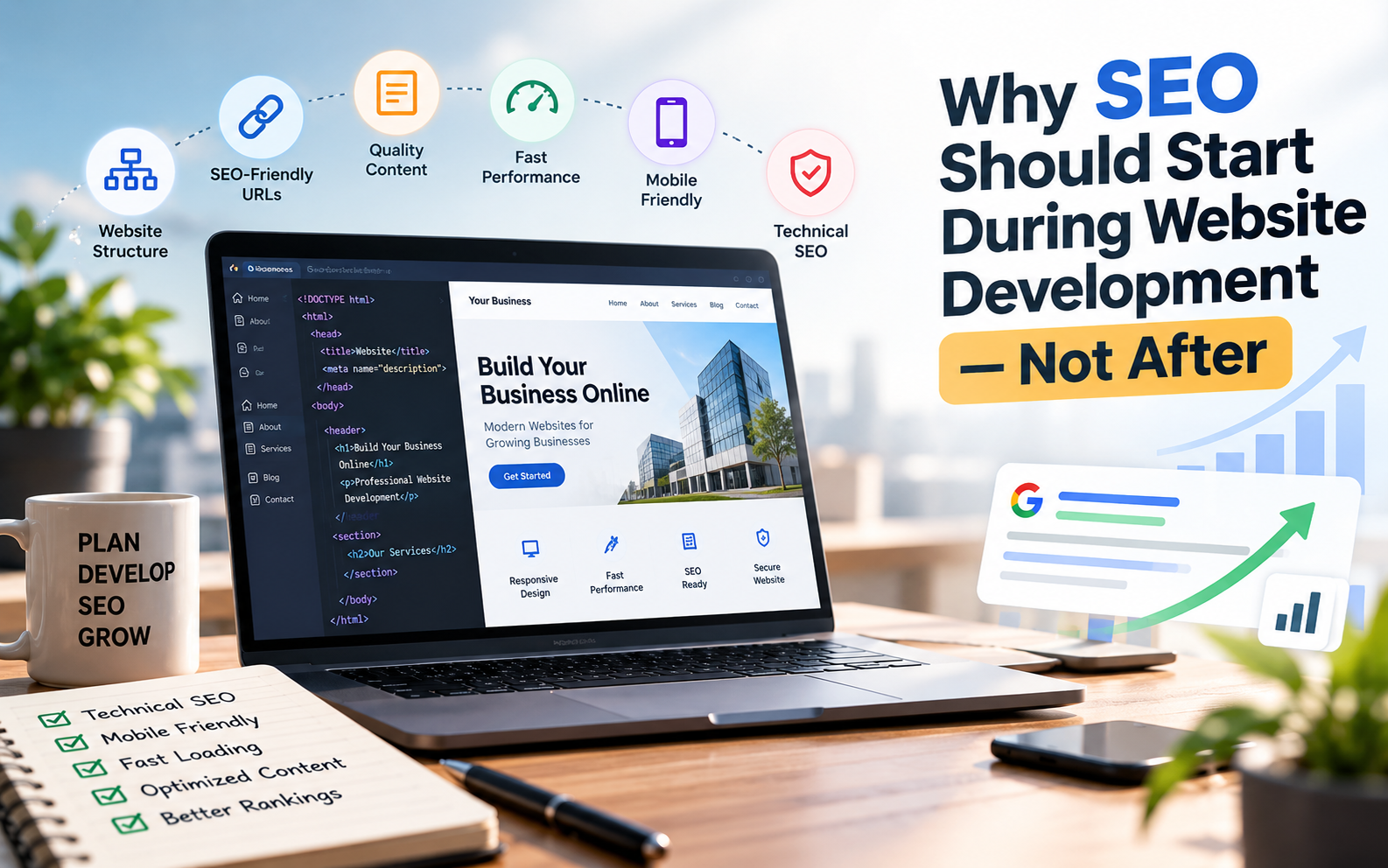
    Why SEO Should Start During Website Development — Not After

    Introduction

    Many businesses follow this process:

    Build website → Launch website → Start SEO

    It sounds logical, but there is a problem.

    Several decisions made during website development can directly affect how easily a website can be crawled, understood and used.

    Website structure, URLs, page speed, mobile responsiveness, headings, internal linking, content structure and technical configuration are all easier to plan before the website is launched than after everything has already been built.

    This doesn’t mean that SEO ends when development is complete. SEO is an ongoing process.

    But building a website with SEO in mind from the beginning can give your business a much stronger technical foundation.

    What Is SEO-Friendly Website Development?

    SEO-friendly website development means building a website in a way that makes it easier for:

    • Search engines to crawl the website
    • Search engines to understand the content
    • Users to navigate the website
    • Pages to load efficiently
    • Important pages to be discovered
    • Content to target relevant search queries

    It combines web development, content structure, technical SEO and user experience.

    A visually impressive website isn’t necessarily an SEO-friendly website.

    Likewise, a technically optimized website won’t automatically rank for every keyword.

    Good SEO requires both a strong technical foundation and useful content that satisfies what people are searching for.


    1. Plan the Website Structure Before Development

    One of the first SEO decisions should happen before writing code.

    Plan the website structure.

    For example, a web development company might have:

    Home

    → Website Development

    → WordPress Development

    → E-commerce Development

    → Custom Web Development

    → Website Maintenance

    → Blog

    This creates a logical relationship between the pages.

    A visitor can easily navigate through the website, while search engines can better understand how different pages relate to the overall topic.

    A poorly planned website structure can make important pages difficult to discover.

    A simple rule

    Important business pages should not be buried several clicks deep without a good reason.

    Plan the navigation and internal linking before development instead of trying to fix the structure months after launch.


    2. Create SEO-Friendly URLs

    URLs are another element that should be planned during development.

    Compare:

    example.com/page?id=2837

    with:

    example.com/website-development/

    The second URL gives users and search engines a clearer idea of what the page is about.

    Good URLs are generally:

    • Short
    • Descriptive
    • Easy to understand
    • Relevant to the page
    • Consistent

    Avoid creating complicated URL structures that don’t communicate anything useful.

    Example

    Instead of:

    /services/service-page-01/

    consider:

    /website-development/

    If your website architecture is already established, avoid changing URLs unnecessarily. Changes to established URLs need to be handled carefully with appropriate redirects and canonicalization.


    3. Use Proper Heading Structure

    Headings help organize your content.

    A typical article might use:

    H1 — Main article title

    H2 — Major section

    H2 — Another major section

    H3 — Subsection

    The H1 should normally represent the main topic of the page.

    H2 headings can then divide the content into major sections.

    This makes long content easier to scan and helps communicate the structure of the page.

    Don’t use headings simply to make text larger.

    Use them to establish a meaningful content hierarchy.


    4. Make the Website Mobile-Friendly

    A large portion of modern web browsing happens on smartphones.

    A business website therefore needs to work properly on smaller screens.

    A mobile-friendly website should have:

    • Responsive layouts
    • Readable text
    • Properly sized buttons
    • Easy navigation
    • Optimized images
    • Functional forms
    • No unnecessary horizontal scrolling

    Google’s documentation recommends paying attention to mobile usability and overall page experience when building websites.

    Don’t wait until after launch to discover that your website doesn’t work properly on mobile.

    Responsive design should be part of development from the beginning.


    5. Build for Website Performance

    Website speed is another area where development and SEO overlap.

    A developer can make performance decisions while building the website that are much harder to fix later.

    Important considerations include:

    • Image optimization
    • Efficient image formats
    • Browser caching
    • Minified assets where appropriate
    • Efficient CSS and JavaScript
    • Font optimization
    • Lazy loading where appropriate
    • Good hosting infrastructure

    Google’s Core Web Vitals include metrics such as Largest Contentful Paint (LCP), Interaction to Next Paint (INP), and Cumulative Layout Shift (CLS), which measure different aspects of loading, responsiveness and visual stability.

    The objective shouldn’t simply be achieving a perfect score in a testing tool.

    The objective is to create a website that loads and responds efficiently for real users.


    6. Create a Logical Internal Linking System

    Internal links connect pages within your own website.

    For example, a website development company could connect:

    Website Development

    → Website Development Cost

    → WordPress Development

    → E-commerce Development

    → Website Performance

    → SEO-Friendly Website Development

    This helps visitors discover related information.

    It also creates a clear relationship between different pieces of content.

    For a growing blog, internal linking becomes especially important.

    Instead of publishing 50 disconnected articles, you can create topic clusters where multiple articles support a broader subject.


    7. Build Dedicated Pages for Important Services

    Suppose a company offers:

    • Website Development
    • SEO
    • Google Ads
    • Social Media Marketing
    • Graphic Design

    Putting all of these services on one page gives you limited space to explain each service properly.

    Instead, important services can have dedicated pages.

    For example:

    /website-development/

    /seo/

    /google-ads/

    /social-media-marketing/

    Each page can explain:

    • What the service is
    • Who it is for
    • Benefits
    • Process
    • FAQs
    • Examples
    • Related content
    • Call-to-action

    This gives each important service its own useful destination.


    8. Write Content Around Search Intent

    SEO isn’t just about inserting keywords into a website.

    You need to understand what the person searching actually wants.

    For example:

    “website development cost in India”

    has a different intent from:

    “what is website development?”

    And:

    “website development company in India”

    has a different intent again.

    Your content should answer the specific question behind the search.

    For example, someone searching for website development costs probably wants:

    • Price ranges
    • Types of websites
    • Factors affecting price
    • Additional costs
    • Development timelines

    Give them that information instead of writing a generic article about websites.


    9. Optimize Images Properly

    Images are important for design and communication, but large unoptimized images can negatively affect page performance.

    Before uploading images, consider:

    • Appropriate dimensions
    • File size
    • Modern formats where suitable
    • Descriptive filenames
    • Alt text for meaningful images

    For example:

    website-development-india.jpg

    is more useful as a filename than:

    IMG_4829.jpg

    Alt text should describe the image when appropriate.

    Don’t stuff keywords into alt text simply for SEO.

    If an image is decorative and doesn’t convey meaningful information, its implementation should reflect that.


    10. Use HTTPS

    Your website should use HTTPS.

    HTTPS helps protect the connection between the visitor and the website.

    It’s especially important when your website handles:

    • Contact information
    • Login credentials
    • Payments
    • Customer accounts
    • Personal information

    For a new website, HTTPS should be configured before launch rather than treated as an optional improvement afterward.


    11. Make Important Pages Crawlable

    Search engines need to be able to access the pages you want indexed.

    During development, check that important pages aren’t accidentally blocked.

    Important technical areas include:

    • Robots.txt
    • Meta robots directives
    • XML sitemap
    • Canonical URLs
    • Internal links
    • HTTP status codes

    A common mistake is accidentally leaving a development site’s noindex setting enabled after launch.

    That can prevent pages from appearing in search results.

    Always check indexing settings before making a website publicly available.


    12. Create an XML Sitemap

    An XML sitemap provides search engines with information about important URLs on your website.

    A sitemap is particularly useful for larger websites and sites with many pages.

    Your CMS, SEO plugin or development framework may already generate one automatically.

    If it does, don’t create a second competing sitemap system unnecessarily.

    The important thing is to verify that:

    • Important pages are included
    • Unwanted URLs aren’t included
    • The sitemap is accessible
    • The sitemap is submitted through the appropriate search-engine tools where applicable

    13. Add Clear Page Titles and Meta Descriptions

    Every important page should have a descriptive title.

    For example:

    Website Development Company in India | Banex Digital

    is much more useful than:

    Home | Banex

    Meta descriptions can also provide a concise summary of the page.

    They don’t guarantee higher rankings, and Google may choose different snippets depending on the search query.

    But clear titles and useful descriptions can help users understand what your page offers.


    14. Think About SEO Before Choosing the Technology

    The technology itself isn’t automatically the deciding factor for SEO.

    A business website can be built using different platforms and frameworks.

    For example:

    • WordPress
    • Shopify
    • Webflow
    • React
    • Next.js
    • Laravel
    • Other custom technologies

    The important question is:

    Can this technology and implementation deliver the functionality, performance, content management and technical SEO requirements of this project?

    Don’t choose a technology simply because it is popular.

    Choose one that fits the actual requirements.


    15. Make the Website Easy to Update

    SEO involves ongoing changes.

    You may need to:

    • Add new pages
    • Publish blog posts
    • Update service information
    • Add internal links
    • Improve existing content
    • Update images
    • Add FAQs

    If every small content change requires a developer, maintaining the website can become unnecessarily difficult.

    For many businesses, a suitable CMS can make content management much easier.

    The exact solution depends on the type of website.


    16. Add Analytics and Search Monitoring

    Once your website is launched, you need to understand how it performs.

    Useful tools can help you monitor:

    • Search impressions
    • Search clicks
    • Search queries
    • Indexed pages
    • Website traffic
    • User behavior
    • Conversions
    • Technical issues

    For example, Google Search Console can provide information about how Google Search interacts with your website.

    Analytics can help you understand what visitors do after reaching your website.

    Together, these tools can help turn SEO from guesswork into a measurable process.


    17. Don’t Forget Conversion Optimization

    Getting traffic is only part of the goal.

    Imagine a website receives thousands of visitors but almost nobody contacts the business.

    That’s not necessarily a successful business website.

    During development, think about:

    • Contact forms
    • Phone buttons
    • WhatsApp buttons
    • Quote requests
    • Booking systems
    • Clear CTAs
    • Trust signals
    • Service information

    SEO brings people to the website.

    The website then needs to give those visitors a clear reason and easy opportunity to take the next step.


    18. Test Before Launch

    Before publishing a new website, conduct a proper SEO and technical check.

    Content

    • Are important pages complete?
    • Is the content useful?
    • Are headings structured correctly?
    • Are there spelling or content errors?

    Technical SEO

    • Are URLs correct?
    • Is HTTPS working?
    • Are important pages indexable?
    • Is the sitemap working?
    • Are canonical URLs correct?
    • Are there broken links?

    Performance

    • Are images optimized?
    • Does the website work well on mobile?
    • Are there unnecessary scripts?
    • Does the page load efficiently?

    Conversion

    • Do contact forms work?
    • Do phone links work?
    • Does WhatsApp work?
    • Are CTAs visible?

    Analytics

    • Is analytics configured?
    • Is Search Console configured?
    • Are important conversions being tracked?

    A launch checklist can prevent small mistakes from becoming bigger SEO problems.


    SEO Is Not Something You “Add” After Website Development

    SEO is often treated as a separate task that begins after a website is launched.

    But many SEO-related decisions are connected directly to development.

    Consider the difference:

    Approach 1

    Build the website → Launch → Discover technical problems → Fix structure → Change URLs → Optimize performance → Rework pages

    Approach 2

    Plan the structure → Build with SEO requirements → Test → Launch → Continue optimizing

    The second approach doesn’t eliminate ongoing SEO work.

    But it can reduce unnecessary technical problems and create a stronger starting point.


    Website Development and SEO Should Work Together

    A successful website needs more than code.

    It needs:

    Good structure + useful content + technical quality + performance + user experience + ongoing optimization

    Website developers don’t need to become SEO specialists, and SEO specialists don’t necessarily need to become developers.

    But the two disciplines need to work together.

    When SEO requirements are considered during development, businesses can avoid many issues that are more difficult to fix after launch.


    Frequently Asked Questions

    Should SEO be done before or after website development?

    SEO should be considered during website planning and development, then continued after launch. Technical SEO, site structure, URLs, performance and mobile usability are easier to plan from the beginning.

    Does website development affect SEO?

    Yes. Website architecture, page speed, mobile usability, crawlability, URLs, internal linking and technical implementation can all affect how search engines access and understand a website.

    Does a fast website automatically rank higher?

    No. Website performance is one part of the overall search and user experience picture. A fast website still needs useful, relevant content and a technically sound SEO implementation.

    Is WordPress good for SEO?

    WordPress can support SEO effectively when it is properly configured and developed. However, the platform alone doesn’t guarantee rankings. Content quality, technical implementation, performance and ongoing SEO also matter.

    Should every business website have a blog?

    Not necessarily. A blog can be useful for businesses that can consistently create genuinely useful content around their customers’ questions and topics. It shouldn’t exist simply to publish low-quality articles.

    Can SEO be added to an existing website?

    Yes. Existing websites can be optimized for SEO. However, some technical changes may require restructuring pages, URLs, templates or code, which is why considering SEO during development can reduce future rework.

    What is the most important SEO factor during website development?

    There isn’t one single factor that guarantees rankings. A strong foundation combines logical site structure, useful content, crawlability, mobile usability, performance, clear page organization and a good user experience.


    Conclusion

    SEO and website development shouldn’t be treated as two completely separate processes.

    The decisions made while planning and developing a website can influence its structure, performance, crawlability, usability and ability to support future SEO work.

    That doesn’t mean a website needs to be overloaded with technical SEO features.

    It means SEO should be considered from the beginning.

    Build the right structure.

    Create useful content.

    Make the website fast and mobile-friendly.

    Keep important pages accessible.

    Connect related content.

    Make it easy for visitors to take action.

    Then continue improving the website after launch.

    A search-friendly website isn’t built by adding SEO at the end. It’s built with SEO in mind from the start.

  • How to Choose the Right Website Development Company for Your Business

    How to Choose the Right Website Development Company for Your Business

    Choosing a website development company can be confusing.

    Search for web developers online and you may find freelancers, small development teams, digital marketing agencies, software companies and large IT firms — all offering website development.

    Their prices can also be dramatically different.

    One company may quote ₹15,000, another ₹50,000, and another ₹2,00,000 for what appears to be the same website.

    So how do you decide?

    The answer isn’t simply to choose the cheapest developer or the company with the most impressive-looking portfolio.

    You need to understand what you are actually buying, how the company works, what is included in the project, who owns the website after delivery, and whether the website can support your business goals.

    This guide explains what to look for when choosing a website development company in India in 2026.


    Why Choosing the Right Website Development Company Matters

    Your website can be much more than an online brochure.

    For a business, it can be used to:

    • Generate leads
    • Showcase products and services
    • Build credibility
    • Receive enquiries
    • Sell products
    • Accept bookings
    • Collect customer information
    • Publish content
    • Support SEO
    • Connect with other business systems

    That means the development company you choose can influence more than just how your website looks.

    A poorly planned website can create problems with performance, mobile usability, SEO, security, maintenance and future development.

    On the other hand, a well-planned website can become a long-term business asset.

    Recent 2026 guidance on choosing Indian web development companies consistently emphasizes checking real work, clarifying ownership, defining scope and understanding post-launch support before signing a project.


    1. Start With Your Business Goals

    Before contacting a website development company, first determine why you need the website.

    Don’t start with:

    “I need a 10-page website.”

    Start with:

    “What should my website help my business achieve?”

    For example, your objective could be:

    Generate leads

    You may need:

    • Service pages
    • Lead forms
    • WhatsApp integration
    • Call-to-action buttons
    • Landing pages
    • Analytics

    Sell products

    You may need:

    • Product catalogue
    • Shopping cart
    • Payment gateway
    • Order management
    • Shipping integration
    • Customer accounts

    Build an online presence

    You may primarily need:

    • Home page
    • About page
    • Services
    • Portfolio
    • Contact page
    • Business information

    Build a custom platform

    You may require:

    • User accounts
    • Dashboards
    • Databases
    • APIs
    • Payment systems
    • Custom workflows

    The clearer your objective is, the easier it becomes to compare development companies.


    2. Look at Their Live Portfolio

    One of the first things you should ask a development company is:

    “Can you show me websites you have actually built?”

    Don’t rely only on screenshots.

    Ask for live website URLs.

    A live website allows you to check:

    • How the website looks on mobile
    • How quickly pages load
    • Navigation
    • User experience
    • Contact forms
    • Overall design
    • Content structure
    • Functionality

    Recent 2026 industry checklists specifically recommend reviewing live websites rather than relying solely on screenshots or portfolio images.

    Look for relevant experience

    If you’re a:

    • Doctor
    • Real estate company
    • Restaurant
    • Manufacturer
    • Coaching institute
    • E-commerce brand
    • Consultant
    • Startup

    try to find examples that demonstrate the developer understands similar business requirements.

    You don’t necessarily need a developer who has worked exclusively in your industry.

    But relevant experience can make it easier for them to understand your customers, workflows and website requirements.


    3. Don’t Choose Based Only on Visual Design

    A website can look beautiful and still be poorly developed.

    When reviewing a portfolio, look beyond the homepage.

    Check:

    Mobile responsiveness

    Open the website on your phone.

    Does the layout work properly?

    Navigation

    Can you easily find important information?

    Speed

    Do pages load quickly enough?

    Forms

    Do enquiry and contact forms work?

    User experience

    Can a visitor understand what the business does quickly?

    Calls to action

    Is it obvious what the visitor should do next?

    A business website should not only look good.

    It should also work well for the people using it.


    4. Ask Which Technology They Recommend — and Why

    You don’t necessarily need to understand programming to ask this question.

    Simply ask:

    “What technology do you recommend for my website, and why?”

    Depending on the project, a company might recommend technologies such as:

    • WordPress
    • Shopify
    • Webflow
    • React
    • Next.js
    • Laravel
    • Node.js
    • Other custom technologies

    There isn’t one technology that is automatically correct for every project.

    For example, a content-heavy business website may have different requirements from a custom SaaS application.

    A good development team should be able to explain why a particular platform or technology fits your requirements instead of recommending the same solution to every client.


    5. Ask Whether the Website Is Custom or Template-Based

    This is an important question because two websites can look similar on the surface while being developed very differently.

    Ask:

    “Is this a template-based website or a custom-designed website?”

    Template-based development

    A pre-existing theme or template is customized for your business.

    Advantages can include:

    • Lower development cost
    • Faster delivery
    • Existing design components
    • Easier setup

    Custom development

    The website is designed and developed specifically around your business.

    This can provide greater control over:

    • Design
    • User experience
    • Functionality
    • Branding
    • Scalability
    • Custom workflows

    Neither approach is automatically right or wrong.

    The important thing is knowing what you’re paying for.


    6. Make Sure the Scope Is Written Down

    One of the biggest mistakes businesses make is agreeing to a website project based only on a verbal discussion.

    Get the project scope in writing.

    It should clearly explain things such as:

    • Number of pages
    • Features
    • Design scope
    • Responsive development
    • CMS
    • Forms
    • Integrations
    • Content responsibility
    • SEO setup
    • Number of revisions
    • Testing
    • Deployment
    • Support period

    For example, instead of saying:

    “SEO-friendly website”

    the proposal should explain what that actually means.

    Does it include:

    • SEO-friendly URLs?
    • Meta titles and descriptions?
    • Sitemap?
    • Search Console setup?
    • Image optimization?
    • Heading structure?
    • Schema?
    • Page-speed optimization?

    Clear scope makes it much easier to compare quotations.


    7. Ask Who Provides the Content

    Website development doesn’t automatically mean website content creation.

    You should clarify who is responsible for:

    • Website copy
    • Images
    • Product photographs
    • Videos
    • Graphics
    • Logo
    • Product descriptions
    • Blog content

    For example:

    Client provides content

    or

    Development company creates the content

    or

    Content creation is a separate paid service.

    This should be decided before development starts.

    Otherwise, content delays can also delay the website launch.


    8. Ask About SEO From the Beginning

    If you want your website to receive traffic from Google, SEO shouldn’t be considered only after the website is finished.

    Website development can influence technical aspects such as:

    • Site structure
    • URLs
    • Mobile usability
    • Page speed
    • Internal linking
    • Indexability
    • Heading structure
    • Metadata
    • Image optimization

    Google’s own guidance emphasizes creating useful, people-first content and making websites accessible and understandable to search engines. Website performance is also an important part of the modern web experience.

    Ask the development company:

    “What technical SEO setup is included in the website development?”

    Also remember that website development and ongoing SEO are different services.

    A technically well-built website does not automatically rank for competitive keywords.


    9. Check Website Performance

    Website performance matters for both users and search visibility.

    Ask whether the developer considers:

    • Image optimization
    • Code optimization
    • Caching
    • Responsive images
    • Efficient loading
    • Mobile performance
    • Core Web Vitals

    Google’s current performance framework includes metrics such as Largest Contentful Paint (LCP), Interaction to Next Paint (INP), and Cumulative Layout Shift (CLS). These measure different aspects of loading, responsiveness and visual stability.

    You don’t need to become a performance engineer.

    Just make sure performance is part of the development conversation.


    10. Understand Website Ownership

    This is one of the most important questions to ask before starting a project.

    Find out who will own and control:

    Domain

    Ideally, your business should control its own domain registration.

    Hosting

    Understand whose account the website will be hosted on.

    Source code

    Ask whether you will receive access to the website’s source code or repository where appropriate.

    CMS

    If you’re using WordPress or another CMS, make sure you have appropriate administrator access.

    Analytics

    Your Google Analytics and other business accounts should remain under your control.

    Third-party accounts

    Clarify who owns:

    • Payment gateway accounts
    • Email accounts
    • API accounts
    • Search Console
    • Business tools
    • Plugins and subscriptions

    A development company may manage these systems for you, but your business should understand who controls the underlying accounts and credentials.


    11. Ask About Maintenance After Launch

    The website launch isn’t necessarily the end of the project.

    You may need help with:

    • Bug fixes
    • Security updates
    • WordPress/plugin updates
    • Content changes
    • Backups
    • Performance improvements
    • New features
    • Technical troubleshooting

    Ask:

    “What happens after the website goes live?”

    Some companies include a limited support period.

    Others offer monthly maintenance plans.

    Others charge separately for every change.

    There is no universal model, but you should know which model you’re agreeing to.


    12. Understand the Pricing Properly

    Don’t compare companies based only on the final number.

    Instead, compare what each quotation includes.

    Imagine you receive three proposals:

    Company ACompany BCompany C
    Development₹20,000₹45,000₹80,000
    Custom designNoYesYes
    SEO setupBasicIncludedIncluded
    ContentClientClientIncluded
    IntegrationsLimitedSeveralCustom
    Support7 days30 days90 days

    The cheapest quotation isn’t necessarily offering the same project.

    This is why your first question shouldn’t be:

    “How much do you charge?”

    A better question is:

    “What exactly is included in your price?”


    13. Ask How Revisions Work

    Website projects almost always involve changes.

    You may want to change:

    • Text
    • Images
    • Colors
    • Layout
    • Sections
    • Buttons
    • Page structure

    Ask:

    “How many rounds of revisions are included?”

    Also ask what counts as a revision.

    For example:

    Small content correction

    is different from:

    Completely redesigning a page after approval.

    Having a revision policy avoids misunderstandings on both sides.


    14. Understand the Development Process

    A professional website project should have a reasonably clear process.

    A typical workflow might look like:

    Discovery

    ↓

    Website structure

    ↓

    Design

    ↓

    Development

    ↓

    Content integration

    ↓

    Testing

    ↓

    SEO & performance setup

    ↓

    Client review

    ↓

    Launch

    ↓

    Post-launch support

    Ask the development company to explain its process before you start.

    This gives you an idea of what will happen after you make the payment.


    15. Ask Who Will Actually Build the Website

    If you’re working with an agency, ask:

    “Who will be working on my project?”

    This is particularly relevant for larger projects.

    You may be communicating with a sales representative during the proposal stage while a different team handles the actual development.

    Ask about:

    • Project manager
    • Designer
    • Developer
    • Content team
    • SEO team
    • Technical support

    You don’t necessarily need the biggest team.

    You need to understand who is responsible for delivering your project.


    16. Check Communication

    Website projects involve decisions and feedback.

    Communication can therefore have a major effect on the development process.

    Before starting, clarify:

    • Primary point of contact
    • Communication channel
    • Working hours
    • Expected response time
    • How feedback will be shared
    • How approvals will be documented

    A simple process such as WhatsApp + email + shared project documents can work perfectly well.

    The important thing is having a clear communication system.


    17. Be Careful With Unrealistic Promises

    Be cautious if someone promises things such as:

    “Your website will definitely rank #1 on Google.”

    or:

    “You’ll get thousands of visitors immediately.”

    Website development can establish the technical foundation for SEO, but rankings depend on many factors beyond simply building a website.

    Similarly, be cautious of claims that don’t explain how the promised result will be achieved.

    Ask for a clear scope and measurable deliverables instead.


    18. Ask About Security

    Security becomes increasingly important as a website becomes more complex.

    Ask what the development team does regarding:

    • SSL/HTTPS
    • Secure authentication
    • Software updates
    • Backups
    • Access control
    • Form security
    • Plugin security
    • Database security

    The requirements will depend on your website.

    A simple brochure website and a platform handling customer accounts and payments have very different security requirements.


    19. Freelancer vs Agency vs Development Company

    You may be wondering:

    Should I hire a freelancer, agency or software development company?

    There isn’t one universally correct answer.

    Freelancer

    Can be suitable for:

    • Small websites
    • Landing pages
    • Simple portfolios
    • Limited budgets

    Small development studio or agency

    Can be suitable for:

    • Business websites
    • Marketing websites
    • E-commerce
    • Branding + development
    • Ongoing digital work

    Larger development company

    May be appropriate for:

    • Complex web applications
    • Enterprise systems
    • Large e-commerce platforms
    • Integrations
    • Custom software

    The right choice depends on your project complexity, budget, timeline and support requirements.


    20. A Simple Checklist Before Hiring a Website Developer

    Before signing a contract, ask these questions:

    Portfolio

    • Can I see live websites you’ve built?
    • Have you worked on projects similar to mine?

    Development

    • What technology will you use?
    • Why is it suitable for my project?
    • Is the design custom or template-based?

    Scope

    • How many pages are included?
    • Which features are included?
    • What integrations are included?
    • How many revisions are included?

    SEO & Performance

    • What technical SEO setup is included?
    • Is the website mobile responsive?
    • How will performance be handled?

    Ownership

    • Who owns the domain?
    • Who controls the hosting?
    • Will I receive appropriate website/admin access?
    • Who owns the website assets and source code?

    Support

    • What happens after launch?
    • How long is post-launch support included?
    • What does maintenance cost?

    Pricing

    • What exactly is included in the quotation?
    • Are there recurring costs?
    • Are third-party services charged separately?

    If a company can answer these questions clearly, comparing proposals becomes much easier.


    Red Flags to Watch For

    Here are some warning signs worth paying attention to:

    🚩 No live portfolio

    They cannot show real websites they have built.

    🚩 Extremely vague quotation

    The proposal simply says:

    “Complete website development.”

    without explaining what that includes.

    🚩 No ownership discussion

    They don’t clearly explain who controls your domain, hosting, accounts or website assets.

    🚩 Guaranteed Google rankings

    They promise specific rankings without explaining the limitations of SEO.

    🚩 No post-launch clarity

    You don’t know what happens if something breaks after launch.

    🚩 Extremely low price with unclear scope

    A very low quote isn’t automatically bad, but you should understand what has been excluded.

    🚩 Everything is an extra charge

    If basic project requirements aren’t clearly defined at the beginning, costs can become difficult to control.


    The Right Questions Matter More Than the Right Price

    Choosing a website development company isn’t simply about finding the lowest quotation.

    It’s about understanding what you’re receiving for that quotation.

    Before hiring a developer, look at:

    Portfolio + Technology + Scope + SEO + Performance + Ownership + Support + Communication + Pricing

    And most importantly, start with your business objective.

    A restaurant website, a doctor’s website, a real estate website, an e-commerce store and a SaaS platform may all require completely different development approaches.

    The right development partner should therefore begin by understanding your business and its requirements, rather than immediately trying to sell you a predefined website package.

    If you take the time to ask the right questions before development starts, you can make the project much easier to manage and reduce the chances of expensive surprises later.


    Frequently Asked Questions

    How do I choose a website development company?

    Start by checking the company’s live portfolio, relevant experience, development process, technology recommendations, pricing, ownership terms and post-launch support. Get the complete scope in writing before starting.

    How much should I pay a website development company in India?

    There is no universal price. A basic business website may cost tens of thousands of rupees, while custom e-commerce websites and web applications can cost several lakhs. The appropriate budget depends on the project’s scope and functionality.

    Should I choose a freelancer or a website development agency?

    A freelancer may be suitable for a smaller or simpler project. An agency or development team may be more appropriate when your project involves multiple disciplines, ongoing support, custom functionality or integrations.

    Should I choose WordPress or custom development?

    It depends on your requirements. WordPress can be suitable for many business and content-driven websites, while custom development may be more appropriate when you need specialized functionality, complex workflows or a custom web application.

    What should a website development quotation include?

    A quotation should ideally explain the pages, features, technology/platform, design scope, content responsibility, integrations, revisions, SEO setup, testing, deployment, support and any recurring or third-party costs.

    Who should own my website domain?

    Your business should generally maintain control over its domain registration and account credentials. If a developer registers or manages it on your behalf, clarify the ownership and transfer process before starting.

    Does website development include SEO?

    It depends on the developer and package. Basic technical SEO may be included in some projects, while ongoing SEO is usually a separate service. Always ask for the specific SEO deliverables in writing.

    What should I check in a developer’s portfolio?

    Look at live websites rather than only screenshots. Check mobile responsiveness, navigation, performance, design quality, functionality and whether the websites appear to be maintained.

  • How Much Does Website Development Cost in India in 2026?

    How Much Does Website Development Cost in India in 2026?

    If you are planning to build a website for your business, one of the first questions you will probably ask is:

    “How much does a website cost in India?”

    The answer can be surprisingly difficult to find.

    You may see someone offering a website for ₹5,000, while another developer quotes ₹50,000 and an agency quotes ₹2,00,000 or more for what appears to be the same thing.

    So, who is right?

    The reality is that there is no single price for a website. A simple five-page business website, an e-commerce store, and a custom web application are completely different projects, even though all of them are commonly called “websites.”

    In 2026, website development costs in India can range from a few thousand rupees for a basic website to several lakhs for complex custom platforms. For many small and medium businesses, a professionally developed business website generally falls somewhere in the ₹25,000–₹1,50,000 range, depending on its design, functionality, technology and requirements. Current Indian market guides show similarly wide ranges across different project types.

    Let’s break it down.

    Website Development Cost in India: 2026

    Here is a practical overview of what different types of websites can cost.

    Type of WebsiteApproximate Cost in India
    Basic / Landing Page₹5,000 – ₹25,000
    Basic Business Website₹10,000 – ₹40,000
    Professional Business Website₹25,000 – ₹1,50,000
    Custom Business Website₹50,000 – ₹2,50,000+
    E-commerce Website₹60,000 – ₹5,00,000+
    Custom Web Application₹1,50,000 – ₹15,00,000+
    Complex SaaS / Enterprise Platform₹5,00,000 – ₹25,00,000+

    These are planning ranges, not fixed market rates. The final cost depends heavily on what the website needs to do, how it is designed and how much custom development is involved. Recent Indian pricing guides show substantial variation for exactly this reason.


    1. Basic or Landing Page Website: ₹5,000 – ₹25,000

    A landing page is generally a single-page website designed around a specific purpose.

    For example:

    • Promoting a product
    • Running an advertising campaign
    • Collecting leads
    • Promoting an event
    • Introducing a new service
    • Creating an online presence for an individual

    A basic landing page may include:

    • Hero section
    • About or introduction
    • Services/features
    • Testimonials
    • Contact form
    • Call-to-action
    • WhatsApp or phone integration

    The cost remains relatively low because there are fewer pages and less functionality involved.

    However, a low-cost landing page isn’t necessarily a bad choice. If your only objective is to generate leads for a specific campaign, you may not need a large website.


    2. Basic Business Website: ₹10,000 – ₹40,000

    A basic business website is usually designed to establish an online presence.

    It may contain around 5–10 pages, such as:

    • Home
    • About Us
    • Services
    • Products
    • Gallery
    • Contact
    • Blog
    • Privacy Policy
    • Terms & Conditions

    At this level, businesses may use an existing theme or template with customization.

    This can work well for businesses that mainly need a professional online presence without complex functionality.

    However, businesses should carefully check what is included in a low-cost package. Some inexpensive websites may provide the basic pages but leave important areas such as SEO setup, content, performance optimization, security or future maintenance outside the quoted price.


    3. Professional Business Website: ₹25,000 – ₹1,50,000

    This is where website development becomes more than simply putting information online.

    A professional business website may include:

    • Custom or heavily customized design
    • Mobile-responsive development
    • Conversion-focused page structure
    • SEO-friendly architecture
    • Contact and lead forms
    • Analytics integration
    • WhatsApp integration
    • Google Maps integration
    • Blog/CMS
    • Performance optimization
    • Security configuration
    • Search-engine-friendly technical setup

    For businesses that depend on their website to generate enquiries, this is often a more appropriate investment than simply choosing the cheapest available option.

    The exact price depends on the number of pages, design complexity, content requirements, integrations and development approach. Current Indian market estimates commonly place professional business websites across a broad ₹25,000–₹1,50,000 band.


    4. Custom Business Website: ₹50,000 – ₹2,50,000+

    A custom website is developed around the specific requirements of a business rather than simply adapting an existing template.

    The development process may involve:

    1. Understanding the business
    2. Defining website goals
    3. Planning the site structure
    4. Creating the user experience
    5. Designing custom interfaces
    6. Developing the frontend
    7. Developing required backend functionality
    8. Integrating third-party services
    9. Testing
    10. Optimizing performance
    11. Deploying the website

    Custom development becomes particularly useful when the business has requirements that cannot be handled effectively with standard templates and plugins.

    For example:

    • Custom calculators
    • Advanced quotation systems
    • CRM integrations
    • ERP integrations
    • Custom booking systems
    • Customer dashboards
    • Membership systems
    • Complex forms
    • API integrations
    • Specialized business workflows

    5. E-commerce Website: ₹60,000 – ₹5,00,000+

    An e-commerce website is considerably more complex than a standard business website.

    It may need:

    • Product catalogue
    • Product variations
    • Shopping cart
    • Checkout
    • Payment gateway
    • Order management
    • Customer accounts
    • Shipping integration
    • Coupon system
    • Inventory management
    • Tax/GST configuration
    • Email/SMS notifications
    • Admin dashboard
    • Analytics
    • Security

    A small online store with a limited number of products can be developed at a relatively modest budget.

    A large e-commerce operation with hundreds or thousands of products, multiple integrations and custom functionality can cost several lakhs.

    Recent Indian market estimates place e-commerce development across a particularly wide range because the complexity of individual stores varies so significantly.


    6. Custom Web Application: ₹1,50,000 – ₹15,00,000+

    At this point, you’re often no longer talking about a conventional website.

    You may be building an actual web application.

    Examples include:

    • Customer portals
    • Booking platforms
    • Marketplaces
    • SaaS products
    • Learning management systems
    • Business management systems
    • Employee dashboards
    • Inventory systems
    • CRM platforms
    • Vendor management systems

    These projects require significantly more development because they can involve authentication, databases, user roles, dashboards, APIs, business logic and complex workflows.

    The cost therefore depends much more on functionality and development complexity than on the number of pages.


    Why Do Website Development Prices Vary So Much?

    This is probably the most important part of understanding website pricing.

    Two companies can request a “10-page website” and receive completely different quotes.

    Why?

    Because the number of pages isn’t the only thing that determines development cost.

    Here are the major factors.

    1. Design: Template vs Custom

    A pre-designed template can significantly reduce design and development time.

    A custom website requires considerably more work because the interface is created specifically for the business.

    Custom design can involve:

    • Wireframes
    • UX planning
    • UI design
    • Brand integration
    • Custom components
    • Responsive layouts
    • Multiple design revisions

    If you want your website to have a distinctive identity rather than look like hundreds of other websites using the same template, custom design becomes more valuable.


    2. Number of Pages

    A five-page website is naturally different from a 40-page website.

    However, page count alone shouldn’t determine your budget.

    A single page containing a complicated interactive application could require more development work than ten simple information pages.

    The complexity of each page matters.


    3. Features and Functionality

    Every additional feature can add development, testing and maintenance requirements.

    For example:

    Simple:

    Contact form → Email notification

    More complex:

    Customer registration → Login → Dashboard → Database → Payment → Automated notifications

    Both are technically website features, but they require very different amounts of development.


    4. Technology Used

    Websites can be developed using different technologies and platforms.

    Some common options include:

    • WordPress
    • Shopify
    • Webflow
    • React
    • Next.js
    • Laravel
    • Node.js
    • Other custom technology stacks

    The right choice depends on the project.

    A small company website may not need a complex custom technology stack.

    On the other hand, a platform with custom business logic may require a more specialized development approach.

    The goal shouldn’t be to choose the most expensive technology.

    The goal should be to choose the technology that makes sense for the project.


    5. Content

    Website development and website content are related, but they are not always included in the same package.

    You may need:

    • Website copy
    • Product descriptions
    • Blog content
    • Professional photography
    • Illustrations
    • Videos
    • Graphics

    If the development company is also creating this content, the overall project cost may increase.


    6. SEO

    A website can look excellent and still struggle to appear in Google.

    SEO considerations should ideally begin during development rather than being treated as something to add later.

    Development can affect:

    • Website structure
    • URLs
    • Page speed
    • Mobile experience
    • Heading structure
    • Internal linking
    • Indexability
    • Metadata
    • Structured data
    • Technical SEO

    If organic search is important to your business, it’s worth discussing SEO requirements before development begins.


    7. Integrations

    Third-party integrations can also affect the price.

    Examples include:

    • Payment gateways
    • CRM systems
    • WhatsApp
    • Email marketing platforms
    • Google services
    • ERP systems
    • Shipping providers
    • Booking systems
    • Social media APIs
    • Accounting software

    A website that needs multiple integrations can require considerably more development and testing.


    Don’t Forget the Costs After Development

    One common mistake businesses make is looking only at the development quotation.

    Building the website is only one part of owning a website.

    You may also have recurring costs such as:

    Domain

    Your domain name, such as:

    yourbusiness.com

    This is generally renewed annually.

    Hosting

    Your website needs a server or hosting environment to operate.

    Hosting costs vary depending on traffic, resources and infrastructure requirements.

    Maintenance

    Websites may require:

    • Software updates
    • Security updates
    • Backups
    • Bug fixes
    • Plugin updates
    • Performance monitoring
    • Content updates

    SEO and Marketing

    If you want the website to generate consistent organic traffic, SEO is usually an ongoing process rather than a one-time development task.

    Premium Services

    Depending on the project, you may also have expenses for:

    • Premium plugins
    • Software subscriptions
    • Email services
    • APIs
    • Payment services
    • Stock images
    • Third-party tools

    A good website quotation should make it clear which of these costs are included and which are separate.


    Is a Cheap Website Worth It?

    Sometimes, yes.

    If you’re a new business and simply need a basic online presence, spending a large amount immediately may not make sense.

    But the cheapest website isn’t necessarily the cheapest solution in the long term.

    A poorly developed website can create additional costs through:

    • Redesigns
    • Slow performance
    • Security problems
    • Poor mobile experience
    • Difficult maintenance
    • Technical SEO problems
    • Limited scalability

    Instead of asking only:

    “Who can build my website for the lowest price?”

    ask:

    “What does my business actually need from its website?”

    That question will help you choose a much more appropriate budget.


    How Much Should Your Business Spend on a Website?

    A useful way to approach the decision is to start with your objective.

    If you just need an online presence

    A basic website may be enough.

    Approximate budget: ₹10,000–₹40,000

    If you want a professional business website

    Consider investing in better design, performance, SEO foundations and conversion-focused structure.

    Approximate budget: ₹25,000–₹1,50,000

    If your website is an important source of leads

    Your website should be treated as a marketing asset rather than simply an online brochure.

    You may need:

    • Custom design
    • Strong UX
    • SEO foundation
    • Analytics
    • Lead-generation systems
    • Performance optimization
    • Ongoing improvements

    Approximate budget: ₹50,000–₹2,50,000+

    If you’re building an online store

    Budget according to catalogue size, integrations and operational requirements.

    Approximate budget: ₹60,000–₹5,00,000+

    If you’re building a web application

    The budget should be based on functionality and technical complexity.

    Approximate budget: ₹1,50,000–₹15,00,000+

    These are planning ranges rather than fixed prices. A proper quotation should always be based on the actual project scope.


    7 Questions to Ask Before Hiring a Website Developer

    Before accepting a website quotation, ask:

    1. Is the design custom or template-based?

    2. What exactly is included in the development cost?

    3. Is SEO setup included?

    4. Is the website mobile responsive?

    5. Who owns the domain, hosting and website files?

    6. What happens after the website launches?

    7. What additional or recurring costs should I expect?

    These questions can make it much easier to compare different proposals.


    The Bottom Line

    So, how much does website development cost in India in 2026?

    There isn’t one correct answer.

    A basic website can cost around ₹5,000–₹25,000, while a professional business website may fall around ₹25,000–₹1,50,000. E-commerce websites can range from roughly ₹60,000 to several lakhs, while custom web applications can go much higher.

    The important thing is not to choose a website based only on its price.

    Instead, consider:

    What does your business need the website to accomplish?

    If you only need an online presence, a simple website may be enough.

    If you want the website to generate leads, build trust, rank in search engines and become an important part of your marketing strategy, investing in quality design, development, performance and SEO becomes much more important.

    The best website budget is not necessarily the lowest one or the highest one.

    It’s the budget that gives your business the right website for its actual goals.


    Frequently Asked Questions

    How much does a website cost in India in 2026?

    Website development in India can range from approximately ₹5,000 for a basic website to several lakhs for advanced websites and web applications. A professional business website commonly falls somewhere around ₹25,000–₹1,50,000, depending on requirements.

    How much does a 5-page website cost in India?

    A simple five-page website may cost around ₹10,000–₹40,000, while a professionally designed or custom five-page website can cost significantly more depending on design, content, SEO and functionality.

    How much does a WordPress website cost in India?

    WordPress website pricing varies considerably. Current 2026 market estimates commonly place basic WordPress business websites around ₹15,000–₹50,000, with professional and custom WordPress projects reaching ₹1,50,000 or more depending on requirements.

    How much does an e-commerce website cost in India?

    A small e-commerce website may start around ₹60,000–₹80,000, while larger stores with custom designs, integrations and advanced functionality can cost several lakhs.

    Is WordPress cheaper than custom website development?

    Usually, yes, especially for standard business websites. WordPress can reduce development time and make content management easier. Custom development can be more appropriate when a project requires unique functionality, complex business logic or specialized integrations. The right choice depends on the project rather than price alone.

    Does website development include SEO?

    Not always. Some developers include basic technical SEO setup, while others charge separately for SEO. Before starting a project, ask exactly what SEO work is included.

    How long does it take to build a website?

    A simple website may take a few days to a few weeks. A professional business website can take several weeks, while complex e-commerce websites and web applications can take considerably longer. The timeline depends on design, content, functionality, revisions and integrations.