Category: Web Development

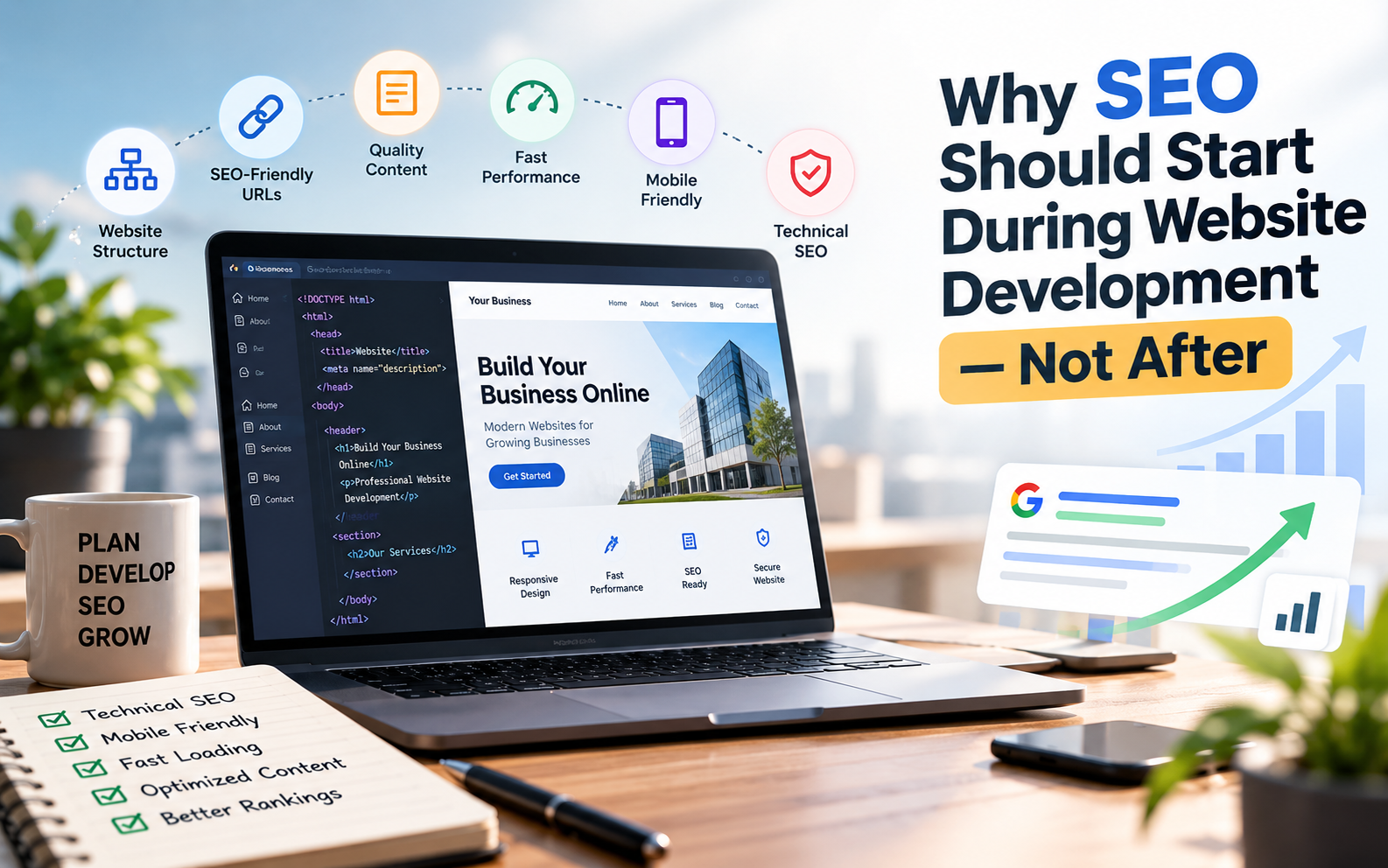
  • Why SEO Should Start During Website Development — Not After

    Why SEO Should Start During Website Development — Not After

    Introduction

    Many businesses follow this process:

    Build website → Launch website → Start SEO

    It sounds logical, but there is a problem.

    Several decisions made during website development can directly affect how easily a website can be crawled, understood and used.

    Website structure, URLs, page speed, mobile responsiveness, headings, internal linking, content structure and technical configuration are all easier to plan before the website is launched than after everything has already been built.

    This doesn’t mean that SEO ends when development is complete. SEO is an ongoing process.

    But building a website with SEO in mind from the beginning can give your business a much stronger technical foundation.

    What Is SEO-Friendly Website Development?

    SEO-friendly website development means building a website in a way that makes it easier for:

    • Search engines to crawl the website
    • Search engines to understand the content
    • Users to navigate the website
    • Pages to load efficiently
    • Important pages to be discovered
    • Content to target relevant search queries

    It combines web development, content structure, technical SEO and user experience.

    A visually impressive website isn’t necessarily an SEO-friendly website.

    Likewise, a technically optimized website won’t automatically rank for every keyword.

    Good SEO requires both a strong technical foundation and useful content that satisfies what people are searching for.


    1. Plan the Website Structure Before Development

    One of the first SEO decisions should happen before writing code.

    Plan the website structure.

    For example, a web development company might have:

    Home

    → Website Development

    → WordPress Development

    → E-commerce Development

    → Custom Web Development

    → Website Maintenance

    → Blog

    This creates a logical relationship between the pages.

    A visitor can easily navigate through the website, while search engines can better understand how different pages relate to the overall topic.

    A poorly planned website structure can make important pages difficult to discover.

    A simple rule

    Important business pages should not be buried several clicks deep without a good reason.

    Plan the navigation and internal linking before development instead of trying to fix the structure months after launch.


    2. Create SEO-Friendly URLs

    URLs are another element that should be planned during development.

    Compare:

    example.com/page?id=2837

    with:

    example.com/website-development/

    The second URL gives users and search engines a clearer idea of what the page is about.

    Good URLs are generally:

    • Short
    • Descriptive
    • Easy to understand
    • Relevant to the page
    • Consistent

    Avoid creating complicated URL structures that don’t communicate anything useful.

    Example

    Instead of:

    /services/service-page-01/

    consider:

    /website-development/

    If your website architecture is already established, avoid changing URLs unnecessarily. Changes to established URLs need to be handled carefully with appropriate redirects and canonicalization.


    3. Use Proper Heading Structure

    Headings help organize your content.

    A typical article might use:

    H1 — Main article title

    H2 — Major section

    H2 — Another major section

    H3 — Subsection

    The H1 should normally represent the main topic of the page.

    H2 headings can then divide the content into major sections.

    This makes long content easier to scan and helps communicate the structure of the page.

    Don’t use headings simply to make text larger.

    Use them to establish a meaningful content hierarchy.


    4. Make the Website Mobile-Friendly

    A large portion of modern web browsing happens on smartphones.

    A business website therefore needs to work properly on smaller screens.

    A mobile-friendly website should have:

    • Responsive layouts
    • Readable text
    • Properly sized buttons
    • Easy navigation
    • Optimized images
    • Functional forms
    • No unnecessary horizontal scrolling

    Google’s documentation recommends paying attention to mobile usability and overall page experience when building websites.

    Don’t wait until after launch to discover that your website doesn’t work properly on mobile.

    Responsive design should be part of development from the beginning.


    5. Build for Website Performance

    Website speed is another area where development and SEO overlap.

    A developer can make performance decisions while building the website that are much harder to fix later.

    Important considerations include:

    • Image optimization
    • Efficient image formats
    • Browser caching
    • Minified assets where appropriate
    • Efficient CSS and JavaScript
    • Font optimization
    • Lazy loading where appropriate
    • Good hosting infrastructure

    Google’s Core Web Vitals include metrics such as Largest Contentful Paint (LCP), Interaction to Next Paint (INP), and Cumulative Layout Shift (CLS), which measure different aspects of loading, responsiveness and visual stability.

    The objective shouldn’t simply be achieving a perfect score in a testing tool.

    The objective is to create a website that loads and responds efficiently for real users.


    6. Create a Logical Internal Linking System

    Internal links connect pages within your own website.

    For example, a website development company could connect:

    Website Development

    → Website Development Cost

    → WordPress Development

    → E-commerce Development

    → Website Performance

    → SEO-Friendly Website Development

    This helps visitors discover related information.

    It also creates a clear relationship between different pieces of content.

    For a growing blog, internal linking becomes especially important.

    Instead of publishing 50 disconnected articles, you can create topic clusters where multiple articles support a broader subject.


    7. Build Dedicated Pages for Important Services

    Suppose a company offers:

    • Website Development
    • SEO
    • Google Ads
    • Social Media Marketing
    • Graphic Design

    Putting all of these services on one page gives you limited space to explain each service properly.

    Instead, important services can have dedicated pages.

    For example:

    /website-development/

    /seo/

    /google-ads/

    /social-media-marketing/

    Each page can explain:

    • What the service is
    • Who it is for
    • Benefits
    • Process
    • FAQs
    • Examples
    • Related content
    • Call-to-action

    This gives each important service its own useful destination.


    8. Write Content Around Search Intent

    SEO isn’t just about inserting keywords into a website.

    You need to understand what the person searching actually wants.

    For example:

    “website development cost in India”

    has a different intent from:

    “what is website development?”

    And:

    “website development company in India”

    has a different intent again.

    Your content should answer the specific question behind the search.

    For example, someone searching for website development costs probably wants:

    • Price ranges
    • Types of websites
    • Factors affecting price
    • Additional costs
    • Development timelines

    Give them that information instead of writing a generic article about websites.


    9. Optimize Images Properly

    Images are important for design and communication, but large unoptimized images can negatively affect page performance.

    Before uploading images, consider:

    • Appropriate dimensions
    • File size
    • Modern formats where suitable
    • Descriptive filenames
    • Alt text for meaningful images

    For example:

    website-development-india.jpg

    is more useful as a filename than:

    IMG_4829.jpg

    Alt text should describe the image when appropriate.

    Don’t stuff keywords into alt text simply for SEO.

    If an image is decorative and doesn’t convey meaningful information, its implementation should reflect that.


    10. Use HTTPS

    Your website should use HTTPS.

    HTTPS helps protect the connection between the visitor and the website.

    It’s especially important when your website handles:

    • Contact information
    • Login credentials
    • Payments
    • Customer accounts
    • Personal information

    For a new website, HTTPS should be configured before launch rather than treated as an optional improvement afterward.


    11. Make Important Pages Crawlable

    Search engines need to be able to access the pages you want indexed.

    During development, check that important pages aren’t accidentally blocked.

    Important technical areas include:

    • Robots.txt
    • Meta robots directives
    • XML sitemap
    • Canonical URLs
    • Internal links
    • HTTP status codes

    A common mistake is accidentally leaving a development site’s noindex setting enabled after launch.

    That can prevent pages from appearing in search results.

    Always check indexing settings before making a website publicly available.


    12. Create an XML Sitemap

    An XML sitemap provides search engines with information about important URLs on your website.

    A sitemap is particularly useful for larger websites and sites with many pages.

    Your CMS, SEO plugin or development framework may already generate one automatically.

    If it does, don’t create a second competing sitemap system unnecessarily.

    The important thing is to verify that:

    • Important pages are included
    • Unwanted URLs aren’t included
    • The sitemap is accessible
    • The sitemap is submitted through the appropriate search-engine tools where applicable

    13. Add Clear Page Titles and Meta Descriptions

    Every important page should have a descriptive title.

    For example:

    Website Development Company in India | Banex Digital

    is much more useful than:

    Home | Banex

    Meta descriptions can also provide a concise summary of the page.

    They don’t guarantee higher rankings, and Google may choose different snippets depending on the search query.

    But clear titles and useful descriptions can help users understand what your page offers.


    14. Think About SEO Before Choosing the Technology

    The technology itself isn’t automatically the deciding factor for SEO.

    A business website can be built using different platforms and frameworks.

    For example:

    • WordPress
    • Shopify
    • Webflow
    • React
    • Next.js
    • Laravel
    • Other custom technologies

    The important question is:

    Can this technology and implementation deliver the functionality, performance, content management and technical SEO requirements of this project?

    Don’t choose a technology simply because it is popular.

    Choose one that fits the actual requirements.


    15. Make the Website Easy to Update

    SEO involves ongoing changes.

    You may need to:

    • Add new pages
    • Publish blog posts
    • Update service information
    • Add internal links
    • Improve existing content
    • Update images
    • Add FAQs

    If every small content change requires a developer, maintaining the website can become unnecessarily difficult.

    For many businesses, a suitable CMS can make content management much easier.

    The exact solution depends on the type of website.


    16. Add Analytics and Search Monitoring

    Once your website is launched, you need to understand how it performs.

    Useful tools can help you monitor:

    • Search impressions
    • Search clicks
    • Search queries
    • Indexed pages
    • Website traffic
    • User behavior
    • Conversions
    • Technical issues

    For example, Google Search Console can provide information about how Google Search interacts with your website.

    Analytics can help you understand what visitors do after reaching your website.

    Together, these tools can help turn SEO from guesswork into a measurable process.


    17. Don’t Forget Conversion Optimization

    Getting traffic is only part of the goal.

    Imagine a website receives thousands of visitors but almost nobody contacts the business.

    That’s not necessarily a successful business website.

    During development, think about:

    • Contact forms
    • Phone buttons
    • WhatsApp buttons
    • Quote requests
    • Booking systems
    • Clear CTAs
    • Trust signals
    • Service information

    SEO brings people to the website.

    The website then needs to give those visitors a clear reason and easy opportunity to take the next step.


    18. Test Before Launch

    Before publishing a new website, conduct a proper SEO and technical check.

    Content

    • Are important pages complete?
    • Is the content useful?
    • Are headings structured correctly?
    • Are there spelling or content errors?

    Technical SEO

    • Are URLs correct?
    • Is HTTPS working?
    • Are important pages indexable?
    • Is the sitemap working?
    • Are canonical URLs correct?
    • Are there broken links?

    Performance

    • Are images optimized?
    • Does the website work well on mobile?
    • Are there unnecessary scripts?
    • Does the page load efficiently?

    Conversion

    • Do contact forms work?
    • Do phone links work?
    • Does WhatsApp work?
    • Are CTAs visible?

    Analytics

    • Is analytics configured?
    • Is Search Console configured?
    • Are important conversions being tracked?

    A launch checklist can prevent small mistakes from becoming bigger SEO problems.


    SEO Is Not Something You “Add” After Website Development

    SEO is often treated as a separate task that begins after a website is launched.

    But many SEO-related decisions are connected directly to development.

    Consider the difference:

    Approach 1

    Build the website → Launch → Discover technical problems → Fix structure → Change URLs → Optimize performance → Rework pages

    Approach 2

    Plan the structure → Build with SEO requirements → Test → Launch → Continue optimizing

    The second approach doesn’t eliminate ongoing SEO work.

    But it can reduce unnecessary technical problems and create a stronger starting point.


    Website Development and SEO Should Work Together

    A successful website needs more than code.

    It needs:

    Good structure + useful content + technical quality + performance + user experience + ongoing optimization

    Website developers don’t need to become SEO specialists, and SEO specialists don’t necessarily need to become developers.

    But the two disciplines need to work together.

    When SEO requirements are considered during development, businesses can avoid many issues that are more difficult to fix after launch.


    Frequently Asked Questions

    Should SEO be done before or after website development?

    SEO should be considered during website planning and development, then continued after launch. Technical SEO, site structure, URLs, performance and mobile usability are easier to plan from the beginning.

    Does website development affect SEO?

    Yes. Website architecture, page speed, mobile usability, crawlability, URLs, internal linking and technical implementation can all affect how search engines access and understand a website.

    Does a fast website automatically rank higher?

    No. Website performance is one part of the overall search and user experience picture. A fast website still needs useful, relevant content and a technically sound SEO implementation.

    Is WordPress good for SEO?

    WordPress can support SEO effectively when it is properly configured and developed. However, the platform alone doesn’t guarantee rankings. Content quality, technical implementation, performance and ongoing SEO also matter.

    Should every business website have a blog?

    Not necessarily. A blog can be useful for businesses that can consistently create genuinely useful content around their customers’ questions and topics. It shouldn’t exist simply to publish low-quality articles.

    Can SEO be added to an existing website?

    Yes. Existing websites can be optimized for SEO. However, some technical changes may require restructuring pages, URLs, templates or code, which is why considering SEO during development can reduce future rework.

    What is the most important SEO factor during website development?

    There isn’t one single factor that guarantees rankings. A strong foundation combines logical site structure, useful content, crawlability, mobile usability, performance, clear page organization and a good user experience.


    Conclusion

    SEO and website development shouldn’t be treated as two completely separate processes.

    The decisions made while planning and developing a website can influence its structure, performance, crawlability, usability and ability to support future SEO work.

    That doesn’t mean a website needs to be overloaded with technical SEO features.

    It means SEO should be considered from the beginning.

    Build the right structure.

    Create useful content.

    Make the website fast and mobile-friendly.

    Keep important pages accessible.

    Connect related content.

    Make it easy for visitors to take action.

    Then continue improving the website after launch.

    A search-friendly website isn’t built by adding SEO at the end. It’s built with SEO in mind from the start.

  • How to Choose the Right Website Development Company for Your Business

    How to Choose the Right Website Development Company for Your Business

    Choosing a website development company can be confusing.

    Search for web developers online and you may find freelancers, small development teams, digital marketing agencies, software companies and large IT firms — all offering website development.

    Their prices can also be dramatically different.

    One company may quote ₹15,000, another ₹50,000, and another ₹2,00,000 for what appears to be the same website.

    So how do you decide?

    The answer isn’t simply to choose the cheapest developer or the company with the most impressive-looking portfolio.

    You need to understand what you are actually buying, how the company works, what is included in the project, who owns the website after delivery, and whether the website can support your business goals.

    This guide explains what to look for when choosing a website development company in India in 2026.


    Why Choosing the Right Website Development Company Matters

    Your website can be much more than an online brochure.

    For a business, it can be used to:

    • Generate leads
    • Showcase products and services
    • Build credibility
    • Receive enquiries
    • Sell products
    • Accept bookings
    • Collect customer information
    • Publish content
    • Support SEO
    • Connect with other business systems

    That means the development company you choose can influence more than just how your website looks.

    A poorly planned website can create problems with performance, mobile usability, SEO, security, maintenance and future development.

    On the other hand, a well-planned website can become a long-term business asset.

    Recent 2026 guidance on choosing Indian web development companies consistently emphasizes checking real work, clarifying ownership, defining scope and understanding post-launch support before signing a project.


    1. Start With Your Business Goals

    Before contacting a website development company, first determine why you need the website.

    Don’t start with:

    “I need a 10-page website.”

    Start with:

    “What should my website help my business achieve?”

    For example, your objective could be:

    Generate leads

    You may need:

    • Service pages
    • Lead forms
    • WhatsApp integration
    • Call-to-action buttons
    • Landing pages
    • Analytics

    Sell products

    You may need:

    • Product catalogue
    • Shopping cart
    • Payment gateway
    • Order management
    • Shipping integration
    • Customer accounts

    Build an online presence

    You may primarily need:

    • Home page
    • About page
    • Services
    • Portfolio
    • Contact page
    • Business information

    Build a custom platform

    You may require:

    • User accounts
    • Dashboards
    • Databases
    • APIs
    • Payment systems
    • Custom workflows

    The clearer your objective is, the easier it becomes to compare development companies.


    2. Look at Their Live Portfolio

    One of the first things you should ask a development company is:

    “Can you show me websites you have actually built?”

    Don’t rely only on screenshots.

    Ask for live website URLs.

    A live website allows you to check:

    • How the website looks on mobile
    • How quickly pages load
    • Navigation
    • User experience
    • Contact forms
    • Overall design
    • Content structure
    • Functionality

    Recent 2026 industry checklists specifically recommend reviewing live websites rather than relying solely on screenshots or portfolio images.

    Look for relevant experience

    If you’re a:

    • Doctor
    • Real estate company
    • Restaurant
    • Manufacturer
    • Coaching institute
    • E-commerce brand
    • Consultant
    • Startup

    try to find examples that demonstrate the developer understands similar business requirements.

    You don’t necessarily need a developer who has worked exclusively in your industry.

    But relevant experience can make it easier for them to understand your customers, workflows and website requirements.


    3. Don’t Choose Based Only on Visual Design

    A website can look beautiful and still be poorly developed.

    When reviewing a portfolio, look beyond the homepage.

    Check:

    Mobile responsiveness

    Open the website on your phone.

    Does the layout work properly?

    Navigation

    Can you easily find important information?

    Speed

    Do pages load quickly enough?

    Forms

    Do enquiry and contact forms work?

    User experience

    Can a visitor understand what the business does quickly?

    Calls to action

    Is it obvious what the visitor should do next?

    A business website should not only look good.

    It should also work well for the people using it.


    4. Ask Which Technology They Recommend — and Why

    You don’t necessarily need to understand programming to ask this question.

    Simply ask:

    “What technology do you recommend for my website, and why?”

    Depending on the project, a company might recommend technologies such as:

    • WordPress
    • Shopify
    • Webflow
    • React
    • Next.js
    • Laravel
    • Node.js
    • Other custom technologies

    There isn’t one technology that is automatically correct for every project.

    For example, a content-heavy business website may have different requirements from a custom SaaS application.

    A good development team should be able to explain why a particular platform or technology fits your requirements instead of recommending the same solution to every client.


    5. Ask Whether the Website Is Custom or Template-Based

    This is an important question because two websites can look similar on the surface while being developed very differently.

    Ask:

    “Is this a template-based website or a custom-designed website?”

    Template-based development

    A pre-existing theme or template is customized for your business.

    Advantages can include:

    • Lower development cost
    • Faster delivery
    • Existing design components
    • Easier setup

    Custom development

    The website is designed and developed specifically around your business.

    This can provide greater control over:

    • Design
    • User experience
    • Functionality
    • Branding
    • Scalability
    • Custom workflows

    Neither approach is automatically right or wrong.

    The important thing is knowing what you’re paying for.


    6. Make Sure the Scope Is Written Down

    One of the biggest mistakes businesses make is agreeing to a website project based only on a verbal discussion.

    Get the project scope in writing.

    It should clearly explain things such as:

    • Number of pages
    • Features
    • Design scope
    • Responsive development
    • CMS
    • Forms
    • Integrations
    • Content responsibility
    • SEO setup
    • Number of revisions
    • Testing
    • Deployment
    • Support period

    For example, instead of saying:

    “SEO-friendly website”

    the proposal should explain what that actually means.

    Does it include:

    • SEO-friendly URLs?
    • Meta titles and descriptions?
    • Sitemap?
    • Search Console setup?
    • Image optimization?
    • Heading structure?
    • Schema?
    • Page-speed optimization?

    Clear scope makes it much easier to compare quotations.


    7. Ask Who Provides the Content

    Website development doesn’t automatically mean website content creation.

    You should clarify who is responsible for:

    • Website copy
    • Images
    • Product photographs
    • Videos
    • Graphics
    • Logo
    • Product descriptions
    • Blog content

    For example:

    Client provides content

    or

    Development company creates the content

    or

    Content creation is a separate paid service.

    This should be decided before development starts.

    Otherwise, content delays can also delay the website launch.


    8. Ask About SEO From the Beginning

    If you want your website to receive traffic from Google, SEO shouldn’t be considered only after the website is finished.

    Website development can influence technical aspects such as:

    • Site structure
    • URLs
    • Mobile usability
    • Page speed
    • Internal linking
    • Indexability
    • Heading structure
    • Metadata
    • Image optimization

    Google’s own guidance emphasizes creating useful, people-first content and making websites accessible and understandable to search engines. Website performance is also an important part of the modern web experience.

    Ask the development company:

    “What technical SEO setup is included in the website development?”

    Also remember that website development and ongoing SEO are different services.

    A technically well-built website does not automatically rank for competitive keywords.


    9. Check Website Performance

    Website performance matters for both users and search visibility.

    Ask whether the developer considers:

    • Image optimization
    • Code optimization
    • Caching
    • Responsive images
    • Efficient loading
    • Mobile performance
    • Core Web Vitals

    Google’s current performance framework includes metrics such as Largest Contentful Paint (LCP), Interaction to Next Paint (INP), and Cumulative Layout Shift (CLS). These measure different aspects of loading, responsiveness and visual stability.

    You don’t need to become a performance engineer.

    Just make sure performance is part of the development conversation.


    10. Understand Website Ownership

    This is one of the most important questions to ask before starting a project.

    Find out who will own and control:

    Domain

    Ideally, your business should control its own domain registration.

    Hosting

    Understand whose account the website will be hosted on.

    Source code

    Ask whether you will receive access to the website’s source code or repository where appropriate.

    CMS

    If you’re using WordPress or another CMS, make sure you have appropriate administrator access.

    Analytics

    Your Google Analytics and other business accounts should remain under your control.

    Third-party accounts

    Clarify who owns:

    • Payment gateway accounts
    • Email accounts
    • API accounts
    • Search Console
    • Business tools
    • Plugins and subscriptions

    A development company may manage these systems for you, but your business should understand who controls the underlying accounts and credentials.


    11. Ask About Maintenance After Launch

    The website launch isn’t necessarily the end of the project.

    You may need help with:

    • Bug fixes
    • Security updates
    • WordPress/plugin updates
    • Content changes
    • Backups
    • Performance improvements
    • New features
    • Technical troubleshooting

    Ask:

    “What happens after the website goes live?”

    Some companies include a limited support period.

    Others offer monthly maintenance plans.

    Others charge separately for every change.

    There is no universal model, but you should know which model you’re agreeing to.


    12. Understand the Pricing Properly

    Don’t compare companies based only on the final number.

    Instead, compare what each quotation includes.

    Imagine you receive three proposals:

    Company ACompany BCompany C
    Development₹20,000₹45,000₹80,000
    Custom designNoYesYes
    SEO setupBasicIncludedIncluded
    ContentClientClientIncluded
    IntegrationsLimitedSeveralCustom
    Support7 days30 days90 days

    The cheapest quotation isn’t necessarily offering the same project.

    This is why your first question shouldn’t be:

    “How much do you charge?”

    A better question is:

    “What exactly is included in your price?”


    13. Ask How Revisions Work

    Website projects almost always involve changes.

    You may want to change:

    • Text
    • Images
    • Colors
    • Layout
    • Sections
    • Buttons
    • Page structure

    Ask:

    “How many rounds of revisions are included?”

    Also ask what counts as a revision.

    For example:

    Small content correction

    is different from:

    Completely redesigning a page after approval.

    Having a revision policy avoids misunderstandings on both sides.


    14. Understand the Development Process

    A professional website project should have a reasonably clear process.

    A typical workflow might look like:

    Discovery

    ↓

    Website structure

    ↓

    Design

    ↓

    Development

    ↓

    Content integration

    ↓

    Testing

    ↓

    SEO & performance setup

    ↓

    Client review

    ↓

    Launch

    ↓

    Post-launch support

    Ask the development company to explain its process before you start.

    This gives you an idea of what will happen after you make the payment.


    15. Ask Who Will Actually Build the Website

    If you’re working with an agency, ask:

    “Who will be working on my project?”

    This is particularly relevant for larger projects.

    You may be communicating with a sales representative during the proposal stage while a different team handles the actual development.

    Ask about:

    • Project manager
    • Designer
    • Developer
    • Content team
    • SEO team
    • Technical support

    You don’t necessarily need the biggest team.

    You need to understand who is responsible for delivering your project.


    16. Check Communication

    Website projects involve decisions and feedback.

    Communication can therefore have a major effect on the development process.

    Before starting, clarify:

    • Primary point of contact
    • Communication channel
    • Working hours
    • Expected response time
    • How feedback will be shared
    • How approvals will be documented

    A simple process such as WhatsApp + email + shared project documents can work perfectly well.

    The important thing is having a clear communication system.


    17. Be Careful With Unrealistic Promises

    Be cautious if someone promises things such as:

    “Your website will definitely rank #1 on Google.”

    or:

    “You’ll get thousands of visitors immediately.”

    Website development can establish the technical foundation for SEO, but rankings depend on many factors beyond simply building a website.

    Similarly, be cautious of claims that don’t explain how the promised result will be achieved.

    Ask for a clear scope and measurable deliverables instead.


    18. Ask About Security

    Security becomes increasingly important as a website becomes more complex.

    Ask what the development team does regarding:

    • SSL/HTTPS
    • Secure authentication
    • Software updates
    • Backups
    • Access control
    • Form security
    • Plugin security
    • Database security

    The requirements will depend on your website.

    A simple brochure website and a platform handling customer accounts and payments have very different security requirements.


    19. Freelancer vs Agency vs Development Company

    You may be wondering:

    Should I hire a freelancer, agency or software development company?

    There isn’t one universally correct answer.

    Freelancer

    Can be suitable for:

    • Small websites
    • Landing pages
    • Simple portfolios
    • Limited budgets

    Small development studio or agency

    Can be suitable for:

    • Business websites
    • Marketing websites
    • E-commerce
    • Branding + development
    • Ongoing digital work

    Larger development company

    May be appropriate for:

    • Complex web applications
    • Enterprise systems
    • Large e-commerce platforms
    • Integrations
    • Custom software

    The right choice depends on your project complexity, budget, timeline and support requirements.


    20. A Simple Checklist Before Hiring a Website Developer

    Before signing a contract, ask these questions:

    Portfolio

    • Can I see live websites you’ve built?
    • Have you worked on projects similar to mine?

    Development

    • What technology will you use?
    • Why is it suitable for my project?
    • Is the design custom or template-based?

    Scope

    • How many pages are included?
    • Which features are included?
    • What integrations are included?
    • How many revisions are included?

    SEO & Performance

    • What technical SEO setup is included?
    • Is the website mobile responsive?
    • How will performance be handled?

    Ownership

    • Who owns the domain?
    • Who controls the hosting?
    • Will I receive appropriate website/admin access?
    • Who owns the website assets and source code?

    Support

    • What happens after launch?
    • How long is post-launch support included?
    • What does maintenance cost?

    Pricing

    • What exactly is included in the quotation?
    • Are there recurring costs?
    • Are third-party services charged separately?

    If a company can answer these questions clearly, comparing proposals becomes much easier.


    Red Flags to Watch For

    Here are some warning signs worth paying attention to:

    🚩 No live portfolio

    They cannot show real websites they have built.

    🚩 Extremely vague quotation

    The proposal simply says:

    “Complete website development.”

    without explaining what that includes.

    🚩 No ownership discussion

    They don’t clearly explain who controls your domain, hosting, accounts or website assets.

    🚩 Guaranteed Google rankings

    They promise specific rankings without explaining the limitations of SEO.

    🚩 No post-launch clarity

    You don’t know what happens if something breaks after launch.

    🚩 Extremely low price with unclear scope

    A very low quote isn’t automatically bad, but you should understand what has been excluded.

    🚩 Everything is an extra charge

    If basic project requirements aren’t clearly defined at the beginning, costs can become difficult to control.


    The Right Questions Matter More Than the Right Price

    Choosing a website development company isn’t simply about finding the lowest quotation.

    It’s about understanding what you’re receiving for that quotation.

    Before hiring a developer, look at:

    Portfolio + Technology + Scope + SEO + Performance + Ownership + Support + Communication + Pricing

    And most importantly, start with your business objective.

    A restaurant website, a doctor’s website, a real estate website, an e-commerce store and a SaaS platform may all require completely different development approaches.

    The right development partner should therefore begin by understanding your business and its requirements, rather than immediately trying to sell you a predefined website package.

    If you take the time to ask the right questions before development starts, you can make the project much easier to manage and reduce the chances of expensive surprises later.


    Frequently Asked Questions

    How do I choose a website development company?

    Start by checking the company’s live portfolio, relevant experience, development process, technology recommendations, pricing, ownership terms and post-launch support. Get the complete scope in writing before starting.

    How much should I pay a website development company in India?

    There is no universal price. A basic business website may cost tens of thousands of rupees, while custom e-commerce websites and web applications can cost several lakhs. The appropriate budget depends on the project’s scope and functionality.

    Should I choose a freelancer or a website development agency?

    A freelancer may be suitable for a smaller or simpler project. An agency or development team may be more appropriate when your project involves multiple disciplines, ongoing support, custom functionality or integrations.

    Should I choose WordPress or custom development?

    It depends on your requirements. WordPress can be suitable for many business and content-driven websites, while custom development may be more appropriate when you need specialized functionality, complex workflows or a custom web application.

    What should a website development quotation include?

    A quotation should ideally explain the pages, features, technology/platform, design scope, content responsibility, integrations, revisions, SEO setup, testing, deployment, support and any recurring or third-party costs.

    Who should own my website domain?

    Your business should generally maintain control over its domain registration and account credentials. If a developer registers or manages it on your behalf, clarify the ownership and transfer process before starting.

    Does website development include SEO?

    It depends on the developer and package. Basic technical SEO may be included in some projects, while ongoing SEO is usually a separate service. Always ask for the specific SEO deliverables in writing.

    What should I check in a developer’s portfolio?

    Look at live websites rather than only screenshots. Check mobile responsiveness, navigation, performance, design quality, functionality and whether the websites appear to be maintained.

  • How Much Does Website Development Cost in India in 2026?

    How Much Does Website Development Cost in India in 2026?

    If you are planning to build a website for your business, one of the first questions you will probably ask is:

    “How much does a website cost in India?”

    The answer can be surprisingly difficult to find.

    You may see someone offering a website for ₹5,000, while another developer quotes ₹50,000 and an agency quotes ₹2,00,000 or more for what appears to be the same thing.

    So, who is right?

    The reality is that there is no single price for a website. A simple five-page business website, an e-commerce store, and a custom web application are completely different projects, even though all of them are commonly called “websites.”

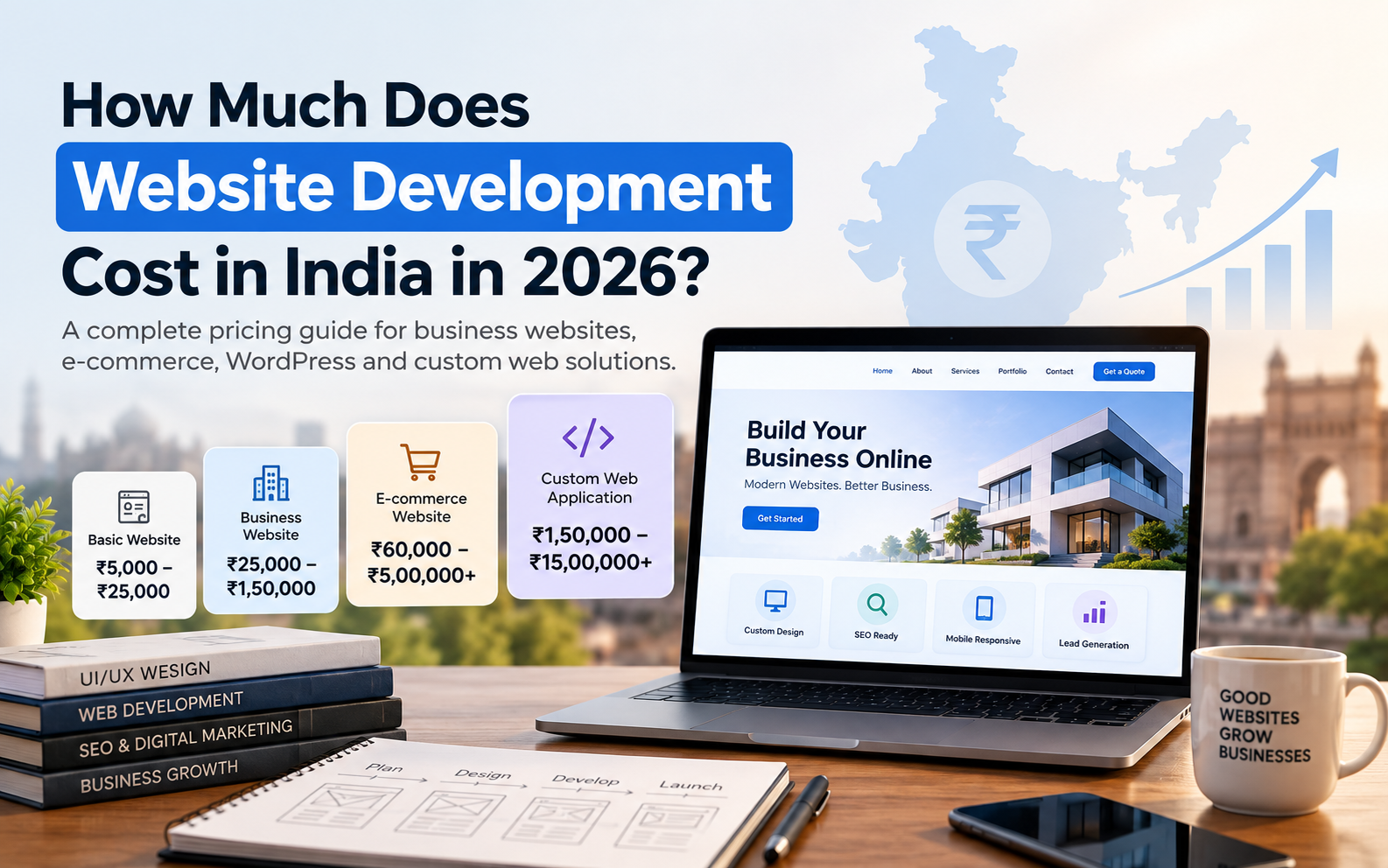
    In 2026, website development costs in India can range from a few thousand rupees for a basic website to several lakhs for complex custom platforms. For many small and medium businesses, a professionally developed business website generally falls somewhere in the ₹25,000–₹1,50,000 range, depending on its design, functionality, technology and requirements. Current Indian market guides show similarly wide ranges across different project types.

    Let’s break it down.

    Website Development Cost in India: 2026

    Here is a practical overview of what different types of websites can cost.

    Type of WebsiteApproximate Cost in India
    Basic / Landing Page₹5,000 – ₹25,000
    Basic Business Website₹10,000 – ₹40,000
    Professional Business Website₹25,000 – ₹1,50,000
    Custom Business Website₹50,000 – ₹2,50,000+
    E-commerce Website₹60,000 – ₹5,00,000+
    Custom Web Application₹1,50,000 – ₹15,00,000+
    Complex SaaS / Enterprise Platform₹5,00,000 – ₹25,00,000+

    These are planning ranges, not fixed market rates. The final cost depends heavily on what the website needs to do, how it is designed and how much custom development is involved. Recent Indian pricing guides show substantial variation for exactly this reason.


    1. Basic or Landing Page Website: ₹5,000 – ₹25,000

    A landing page is generally a single-page website designed around a specific purpose.

    For example:

    • Promoting a product
    • Running an advertising campaign
    • Collecting leads
    • Promoting an event
    • Introducing a new service
    • Creating an online presence for an individual

    A basic landing page may include:

    • Hero section
    • About or introduction
    • Services/features
    • Testimonials
    • Contact form
    • Call-to-action
    • WhatsApp or phone integration

    The cost remains relatively low because there are fewer pages and less functionality involved.

    However, a low-cost landing page isn’t necessarily a bad choice. If your only objective is to generate leads for a specific campaign, you may not need a large website.


    2. Basic Business Website: ₹10,000 – ₹40,000

    A basic business website is usually designed to establish an online presence.

    It may contain around 5–10 pages, such as:

    • Home
    • About Us
    • Services
    • Products
    • Gallery
    • Contact
    • Blog
    • Privacy Policy
    • Terms & Conditions

    At this level, businesses may use an existing theme or template with customization.

    This can work well for businesses that mainly need a professional online presence without complex functionality.

    However, businesses should carefully check what is included in a low-cost package. Some inexpensive websites may provide the basic pages but leave important areas such as SEO setup, content, performance optimization, security or future maintenance outside the quoted price.


    3. Professional Business Website: ₹25,000 – ₹1,50,000

    This is where website development becomes more than simply putting information online.

    A professional business website may include:

    • Custom or heavily customized design
    • Mobile-responsive development
    • Conversion-focused page structure
    • SEO-friendly architecture
    • Contact and lead forms
    • Analytics integration
    • WhatsApp integration
    • Google Maps integration
    • Blog/CMS
    • Performance optimization
    • Security configuration
    • Search-engine-friendly technical setup

    For businesses that depend on their website to generate enquiries, this is often a more appropriate investment than simply choosing the cheapest available option.

    The exact price depends on the number of pages, design complexity, content requirements, integrations and development approach. Current Indian market estimates commonly place professional business websites across a broad ₹25,000–₹1,50,000 band.


    4. Custom Business Website: ₹50,000 – ₹2,50,000+

    A custom website is developed around the specific requirements of a business rather than simply adapting an existing template.

    The development process may involve:

    1. Understanding the business
    2. Defining website goals
    3. Planning the site structure
    4. Creating the user experience
    5. Designing custom interfaces
    6. Developing the frontend
    7. Developing required backend functionality
    8. Integrating third-party services
    9. Testing
    10. Optimizing performance
    11. Deploying the website

    Custom development becomes particularly useful when the business has requirements that cannot be handled effectively with standard templates and plugins.

    For example:

    • Custom calculators
    • Advanced quotation systems
    • CRM integrations
    • ERP integrations
    • Custom booking systems
    • Customer dashboards
    • Membership systems
    • Complex forms
    • API integrations
    • Specialized business workflows

    5. E-commerce Website: ₹60,000 – ₹5,00,000+

    An e-commerce website is considerably more complex than a standard business website.

    It may need:

    • Product catalogue
    • Product variations
    • Shopping cart
    • Checkout
    • Payment gateway
    • Order management
    • Customer accounts
    • Shipping integration
    • Coupon system
    • Inventory management
    • Tax/GST configuration
    • Email/SMS notifications
    • Admin dashboard
    • Analytics
    • Security

    A small online store with a limited number of products can be developed at a relatively modest budget.

    A large e-commerce operation with hundreds or thousands of products, multiple integrations and custom functionality can cost several lakhs.

    Recent Indian market estimates place e-commerce development across a particularly wide range because the complexity of individual stores varies so significantly.


    6. Custom Web Application: ₹1,50,000 – ₹15,00,000+

    At this point, you’re often no longer talking about a conventional website.

    You may be building an actual web application.

    Examples include:

    • Customer portals
    • Booking platforms
    • Marketplaces
    • SaaS products
    • Learning management systems
    • Business management systems
    • Employee dashboards
    • Inventory systems
    • CRM platforms
    • Vendor management systems

    These projects require significantly more development because they can involve authentication, databases, user roles, dashboards, APIs, business logic and complex workflows.

    The cost therefore depends much more on functionality and development complexity than on the number of pages.


    Why Do Website Development Prices Vary So Much?

    This is probably the most important part of understanding website pricing.

    Two companies can request a “10-page website” and receive completely different quotes.

    Why?

    Because the number of pages isn’t the only thing that determines development cost.

    Here are the major factors.

    1. Design: Template vs Custom

    A pre-designed template can significantly reduce design and development time.

    A custom website requires considerably more work because the interface is created specifically for the business.

    Custom design can involve:

    • Wireframes
    • UX planning
    • UI design
    • Brand integration
    • Custom components
    • Responsive layouts
    • Multiple design revisions

    If you want your website to have a distinctive identity rather than look like hundreds of other websites using the same template, custom design becomes more valuable.


    2. Number of Pages

    A five-page website is naturally different from a 40-page website.

    However, page count alone shouldn’t determine your budget.

    A single page containing a complicated interactive application could require more development work than ten simple information pages.

    The complexity of each page matters.


    3. Features and Functionality

    Every additional feature can add development, testing and maintenance requirements.

    For example:

    Simple:

    Contact form → Email notification

    More complex:

    Customer registration → Login → Dashboard → Database → Payment → Automated notifications

    Both are technically website features, but they require very different amounts of development.


    4. Technology Used

    Websites can be developed using different technologies and platforms.

    Some common options include:

    • WordPress
    • Shopify
    • Webflow
    • React
    • Next.js
    • Laravel
    • Node.js
    • Other custom technology stacks

    The right choice depends on the project.

    A small company website may not need a complex custom technology stack.

    On the other hand, a platform with custom business logic may require a more specialized development approach.

    The goal shouldn’t be to choose the most expensive technology.

    The goal should be to choose the technology that makes sense for the project.


    5. Content

    Website development and website content are related, but they are not always included in the same package.

    You may need:

    • Website copy
    • Product descriptions
    • Blog content
    • Professional photography
    • Illustrations
    • Videos
    • Graphics

    If the development company is also creating this content, the overall project cost may increase.


    6. SEO

    A website can look excellent and still struggle to appear in Google.

    SEO considerations should ideally begin during development rather than being treated as something to add later.

    Development can affect:

    • Website structure
    • URLs
    • Page speed
    • Mobile experience
    • Heading structure
    • Internal linking
    • Indexability
    • Metadata
    • Structured data
    • Technical SEO

    If organic search is important to your business, it’s worth discussing SEO requirements before development begins.


    7. Integrations

    Third-party integrations can also affect the price.

    Examples include:

    • Payment gateways
    • CRM systems
    • WhatsApp
    • Email marketing platforms
    • Google services
    • ERP systems
    • Shipping providers
    • Booking systems
    • Social media APIs
    • Accounting software

    A website that needs multiple integrations can require considerably more development and testing.


    Don’t Forget the Costs After Development

    One common mistake businesses make is looking only at the development quotation.

    Building the website is only one part of owning a website.

    You may also have recurring costs such as:

    Domain

    Your domain name, such as:

    yourbusiness.com

    This is generally renewed annually.

    Hosting

    Your website needs a server or hosting environment to operate.

    Hosting costs vary depending on traffic, resources and infrastructure requirements.

    Maintenance

    Websites may require:

    • Software updates
    • Security updates
    • Backups
    • Bug fixes
    • Plugin updates
    • Performance monitoring
    • Content updates

    SEO and Marketing

    If you want the website to generate consistent organic traffic, SEO is usually an ongoing process rather than a one-time development task.

    Premium Services

    Depending on the project, you may also have expenses for:

    • Premium plugins
    • Software subscriptions
    • Email services
    • APIs
    • Payment services
    • Stock images
    • Third-party tools

    A good website quotation should make it clear which of these costs are included and which are separate.


    Is a Cheap Website Worth It?

    Sometimes, yes.

    If you’re a new business and simply need a basic online presence, spending a large amount immediately may not make sense.

    But the cheapest website isn’t necessarily the cheapest solution in the long term.

    A poorly developed website can create additional costs through:

    • Redesigns
    • Slow performance
    • Security problems
    • Poor mobile experience
    • Difficult maintenance
    • Technical SEO problems
    • Limited scalability

    Instead of asking only:

    “Who can build my website for the lowest price?”

    ask:

    “What does my business actually need from its website?”

    That question will help you choose a much more appropriate budget.


    How Much Should Your Business Spend on a Website?

    A useful way to approach the decision is to start with your objective.

    If you just need an online presence

    A basic website may be enough.

    Approximate budget: ₹10,000–₹40,000

    If you want a professional business website

    Consider investing in better design, performance, SEO foundations and conversion-focused structure.

    Approximate budget: ₹25,000–₹1,50,000

    If your website is an important source of leads

    Your website should be treated as a marketing asset rather than simply an online brochure.

    You may need:

    • Custom design
    • Strong UX
    • SEO foundation
    • Analytics
    • Lead-generation systems
    • Performance optimization
    • Ongoing improvements

    Approximate budget: ₹50,000–₹2,50,000+

    If you’re building an online store

    Budget according to catalogue size, integrations and operational requirements.

    Approximate budget: ₹60,000–₹5,00,000+

    If you’re building a web application

    The budget should be based on functionality and technical complexity.

    Approximate budget: ₹1,50,000–₹15,00,000+

    These are planning ranges rather than fixed prices. A proper quotation should always be based on the actual project scope.


    7 Questions to Ask Before Hiring a Website Developer

    Before accepting a website quotation, ask:

    1. Is the design custom or template-based?

    2. What exactly is included in the development cost?

    3. Is SEO setup included?

    4. Is the website mobile responsive?

    5. Who owns the domain, hosting and website files?

    6. What happens after the website launches?

    7. What additional or recurring costs should I expect?

    These questions can make it much easier to compare different proposals.


    The Bottom Line

    So, how much does website development cost in India in 2026?

    There isn’t one correct answer.

    A basic website can cost around ₹5,000–₹25,000, while a professional business website may fall around ₹25,000–₹1,50,000. E-commerce websites can range from roughly ₹60,000 to several lakhs, while custom web applications can go much higher.

    The important thing is not to choose a website based only on its price.

    Instead, consider:

    What does your business need the website to accomplish?

    If you only need an online presence, a simple website may be enough.

    If you want the website to generate leads, build trust, rank in search engines and become an important part of your marketing strategy, investing in quality design, development, performance and SEO becomes much more important.

    The best website budget is not necessarily the lowest one or the highest one.

    It’s the budget that gives your business the right website for its actual goals.


    Frequently Asked Questions

    How much does a website cost in India in 2026?

    Website development in India can range from approximately ₹5,000 for a basic website to several lakhs for advanced websites and web applications. A professional business website commonly falls somewhere around ₹25,000–₹1,50,000, depending on requirements.

    How much does a 5-page website cost in India?

    A simple five-page website may cost around ₹10,000–₹40,000, while a professionally designed or custom five-page website can cost significantly more depending on design, content, SEO and functionality.

    How much does a WordPress website cost in India?

    WordPress website pricing varies considerably. Current 2026 market estimates commonly place basic WordPress business websites around ₹15,000–₹50,000, with professional and custom WordPress projects reaching ₹1,50,000 or more depending on requirements.

    How much does an e-commerce website cost in India?

    A small e-commerce website may start around ₹60,000–₹80,000, while larger stores with custom designs, integrations and advanced functionality can cost several lakhs.

    Is WordPress cheaper than custom website development?

    Usually, yes, especially for standard business websites. WordPress can reduce development time and make content management easier. Custom development can be more appropriate when a project requires unique functionality, complex business logic or specialized integrations. The right choice depends on the project rather than price alone.

    Does website development include SEO?

    Not always. Some developers include basic technical SEO setup, while others charge separately for SEO. Before starting a project, ask exactly what SEO work is included.

    How long does it take to build a website?

    A simple website may take a few days to a few weeks. A professional business website can take several weeks, while complex e-commerce websites and web applications can take considerably longer. The timeline depends on design, content, functionality, revisions and integrations.